A law firm’s Google Business Profile works when it describes the real firm, at a real office clients can visit, with the right profile for each public-facing lawyer and nothing stuffed into the name. Get those foundations right and the profile can appear in the map pack and Google Maps for the searches that bring in new matters.
Law firms have more rules to juggle than most local businesses: Google’s practitioner rules, professional conduct rules and client confidentiality.
Below I walk through how I set up and run a profile for a firm: eligibility, profile structure, the name, categories, verification, reviews and measurement.
You’ll also get copy-ready examples: a compliant description, review requests and replies that protect confidentiality, and LegalService structured data for your website.
Key takeaways
- Only offices that are staffed and open to clients during stated hours qualify. Virtual offices don’t.
- A firm with several lawyers gets one profile for the office, and each public-facing lawyer can have a profile under their own name only.
- The business name must match the firm’s real-world name, with no practice areas or suburbs added.
- Never offer anything for reviews or ask only happy clients, and never confirm someone was a client in a reply.
- Track calls, website clicks and direction requests, and tag the website link so profile visits show up in GA4.
Check the firm is eligible before you claim anything
Start with eligibility, because no amount of optimisation saves a profile that shouldn’t exist. Google’s guidelines for representing your business say a business must have a physical location customers can visit, or must travel to customers where they are.
For most firms that means a staffed office where clients come for meetings. Three situations need care:
- Virtual offices. A rented mailing address where the firm doesn’t actually operate isn’t eligible. It’s tempting when you want to appear in a suburb you don’t work from, and it’s exactly what the guidelines rule out.
- Coworking spaces and shared suites. These qualify only if the firm has clear signage, receives clients there during business hours and has its own staff on site during those hours.
- Occasional meeting rooms. A room you book twice a month doesn’t meet the test. If no one from the firm is there during stated hours, don’t create a profile for it.
A firm that also visits clients, such as a wills lawyer who meets clients at home or in hospital, can keep its office address and add a service area. A firm with no office that clients can visit would be a service-area business and should hide its address, but that’s rare for law firms.
When I take on a firm through my local SEO service, this check comes first. Google says a profile that breaks the guidelines can be suspended, and rebuilding one costs far more time than getting it right at the start.
Decide how many profiles the firm needs
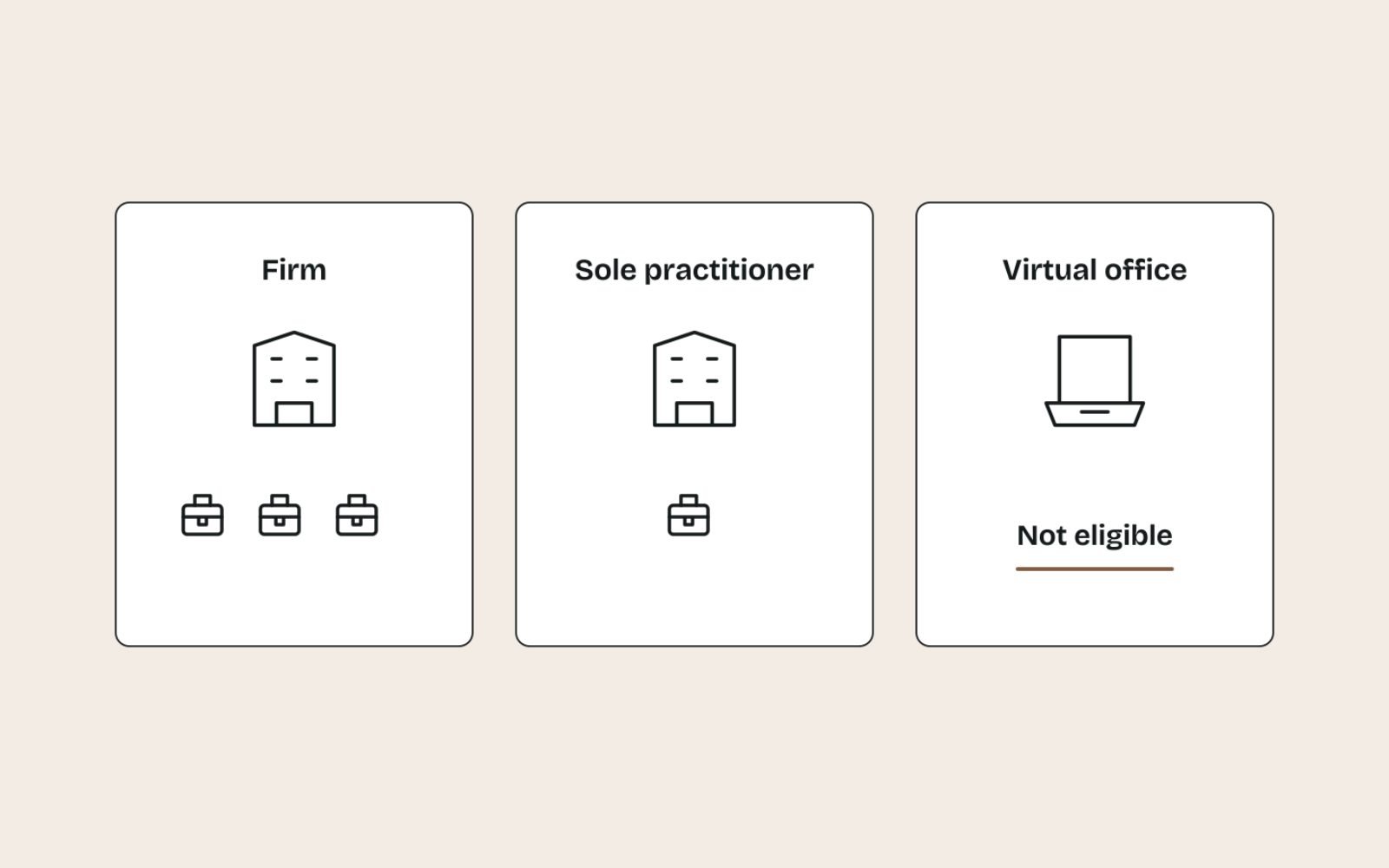
Law firms often need more than one profile, and Google is specific about which ones. It lists lawyers as individual practitioners, alongside doctors, dentists and financial planners, and applies separate rules to them.
Firms with several lawyers at one office
The firm gets its own profile for the office. A lawyer can also have a profile if they work in a public-facing role and can be contacted directly at that office during stated hours.
The lawyer’s profile should carry only the lawyer’s name, not the firm’s. Support staff such as paralegals, receptionists and practice managers shouldn’t have profiles, and no lawyer should have several profiles to cover different specialisations.
A sole practitioner trading under a firm brand
If one lawyer is the only public-facing practitioner at the location, Google says it’s best for the lawyer and the firm to share one profile. The name format is “[brand]: [practitioner name]”, so a sole practitioner trading as Harbour Legal would use “Harbour Legal: Jane Okafor”.
Firms with more than one office
Each eligible office gets its own profile, and each location may have only one. Give every office its own local number where you can.
Should every lawyer have a profile?
Not automatically. A practitioner profile collects its own reviews and can appear when people search for that lawyer by name, which suits senior lawyers who already have a reputation.
Each one is also another profile to keep accurate and to manage when a lawyer moves on. I decide case by case: partners and well-known senior lawyers usually yes, junior lawyers usually no.
| Situation | Profiles to create | Name on the profile |
|---|---|---|
| Several lawyers, one office | One for the firm, plus one for each public-facing lawyer who wants one | “Harbour Legal” for the firm, “Jane Okafor” for the lawyer |
| Sole practitioner under a brand | One shared profile | “Harbour Legal: Jane Okafor” |
| Three staffed offices | One per office | The firm’s real name on each, with that office’s address and phone |
| Virtual office or mail drop | None | Not eligible |
| Paralegal or practice manager | None | Support staff aren’t eligible |
Use the firm’s real name, with nothing added
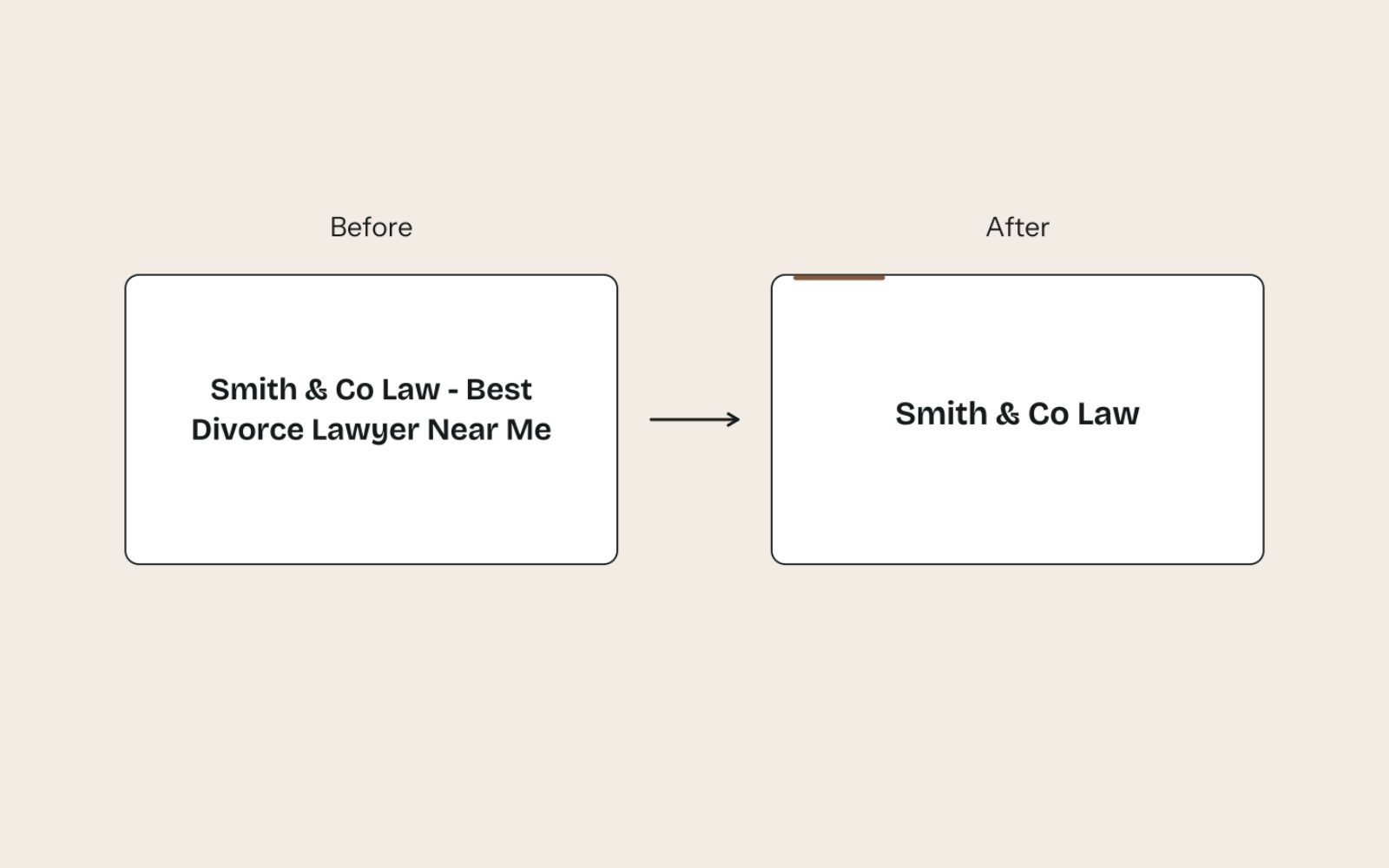
The business name must match the name the firm uses in the real world: on its signage, letterhead and website. Google’s guidelines say unnecessary information in the name isn’t permitted and can lead to suspension.
That rules out the practice-area and suburb keywords many firms are tempted to add. It also rules out taglines, phone numbers, website addresses and words written in capitals for emphasis.
Here’s how I clean up the kinds of names that break the rules:
- “Harbour Legal | Family Lawyers Parramatta” becomes “Harbour Legal”.
- “Harbour Legal: Your Trusted Divorce Experts” becomes “Harbour Legal”.
- “HARBOUR LEGAL” becomes “Harbour Legal”.
- “Harbour Legal Pty Ltd” stays only if the firm uses that full name publicly and can prove it.
Legal terms such as “Pty Ltd” or “LLP”, and special characters such as “&”, are generally not allowed unless you can show real-world proof, such as signage, business cards or invoices. “Smith & Lee Lawyers” is fine if that’s exactly what’s on the door and the letterhead.
The same applies to the word “Lawyers”: if it’s genuinely part of the trading name, it stays, and if it was added for search, it goes.
Choose categories that say what the firm is
Your primary category tells Google what the firm mainly does, so choose it with care. Google’s test is simple: a category should complete the sentence “this business IS a”, not “this business HAS a”.
Use as few categories as you need, and pick the most specific ones that fit. Category names vary by country and language, so type the practice area into the category field and choose the closest match Google offers, rather than copying a list written for another country.
These are the decisions I make for most firms:
- If the firm mostly does one thing, such as family law or personal injury, make that the primary category and add a general law firm category as a secondary one.
- If the firm is genuinely full service, use a general law firm category as primary and add the two or three practice areas that bring in most new matters.
- If you handle an area only occasionally, leave it out of the categories and list it as a service instead.
- For a lawyer’s own profile, choose the category for that lawyer’s specialisation, not the firm’s whole range.
Complete the rest of the profile properly
An incomplete profile gives Google less to match and clients less reason to call. Record what you enter so the website can match it.
Address and phone
Enter the exact street address, with the suite or floor in the second address line. Use a local number under the firm’s direct control rather than a central call centre, and make sure it matches the website character for character.
Hours
List the hours the office is staffed and answering calls. Set special hours before public holidays and the end-of-year closure, so clients don’t ring a closed office or turn up to a locked door.
Website link
Point the website link at the page for that office, or the home page for a single-office firm. Add UTM parameters so the visits show up separately in GA4, for example:
https://www.example.com.au/parramatta/?utm_source=google&utm_medium=organic&utm_campaign=gbp-listingDescription
Google’s help page on editing your Business Profile limits the description to 750 characters and asks you to keep it about the business, without URLs, prices or promotions. Lead with who you help and where, then the practice areas and what makes the firm easy to work with.
Harbour Legal is a family law firm in Parramatta helping clients with separation, parenting arrangements, property settlements and consent orders. The firm's five lawyers have practised family law in Western Sydney since 2009, and first consultations are available in person or by video. The office is a short walk from Parramatta station, with step-free access and private meeting rooms.Services and photos
Add each practice area as a service with a one or two sentence description in plain English. Then add real photos: the building entrance, signage, reception, meeting rooms and the lawyers who have their own profiles. Stock images help no one.
Verify the profile without tripping over it
Google’s Business Profile verification methods are chosen for you, based on factors such as business type, region and hours. You can’t pick the method, and you may need to complete more than one.
- Video recording or live video call: you show the location, signage and proof that you manage the business.
- Phone or text: a code sent to the business number. Automated phone menus can’t receive it, so have a direct line ready.
- Email: a link sent to the address shown on the verification screen.
- Postcard: a five-digit code that usually arrives within 14 days and expires after 30.
Two rules save weeks. Don’t edit the name, address or category while you wait for a postcard, or the code won’t work, and remember that requesting a new postcard cancels the old code.
If the firm’s website is already verified in Google Search Console, verification can sometimes be instant.
Reviews: ask the right way and reply without breaching confidentiality
Reviews matter for law firms in two ways. Google’s explanation of how local ranking works says more reviews and positive ratings can help a business’s local ranking, and prospective clients read them before they pick up the phone.
Asking clients for reviews
Google’s prohibited and restricted content policy bans offering anything in exchange for a review and selectively asking only the clients you expect to be positive. That second rule catches review gating, where a survey sends happy clients to Google and unhappy ones to a private form.
The safe pattern is to ask every client at the same point, usually when the matter closes, with a short personal message and the review link from the profile. I set out the full routine in a simple review request process, and firms can adopt it with one extra step: remind clients not to include confidential details.
Hi Sam, thank you for trusting me with your matter. If you have a moment, I'd really value your honest feedback on Google, good or bad. It helps other people choosing a lawyer. Here's the link: [review link]

Please don't include any private details about your matter in the review.

Jane Okafor, Harbour Legal
Some jurisdictions also restrict how lawyers use testimonials in advertising. Check your law society’s or bar’s conduct rules before you quote reviews on the website.
Replying without breaching confidentiality
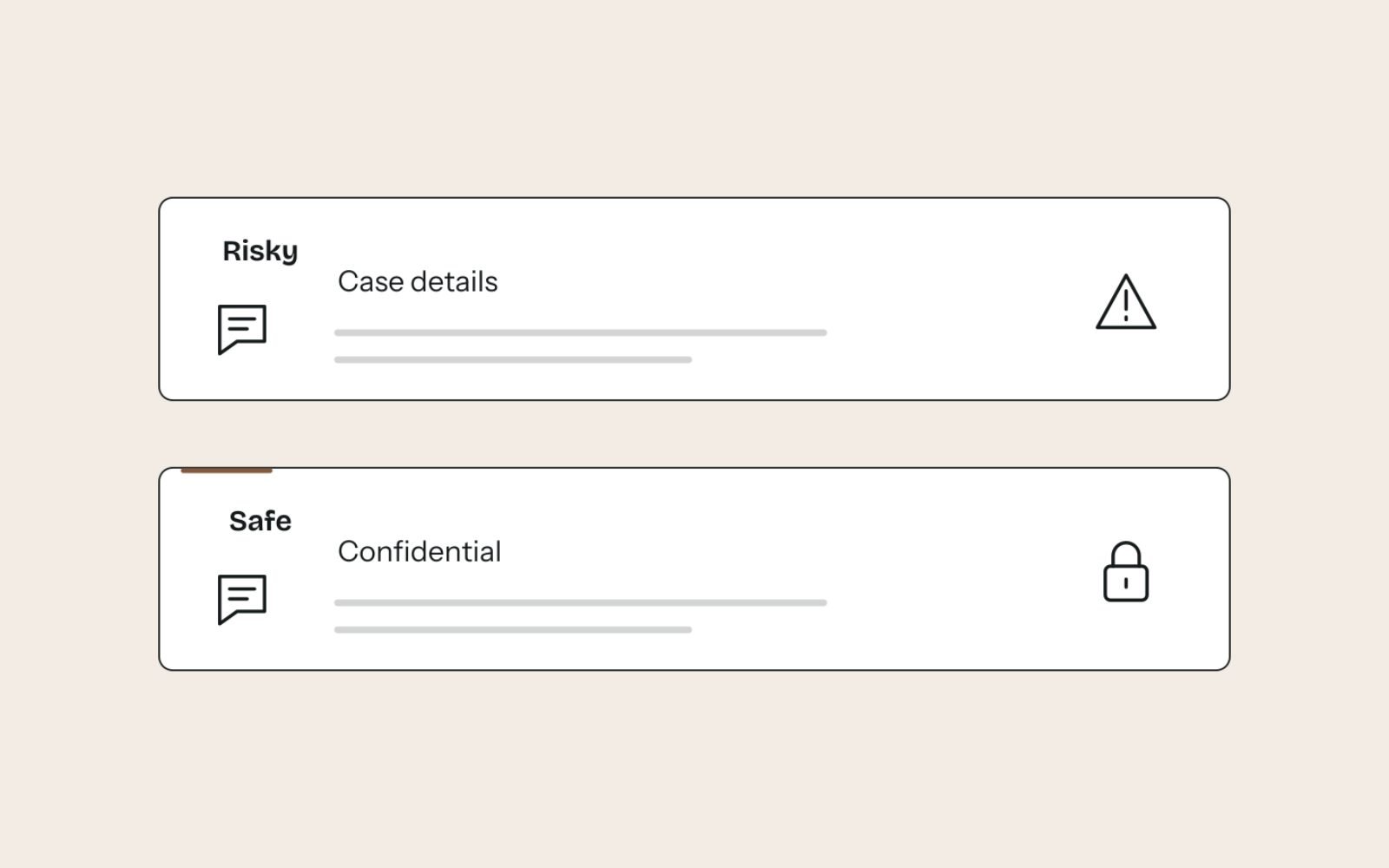
This is where law firms differ most from other local businesses. A reply that confirms someone was a client, or mentions any detail of their matter, can breach your duty of confidentiality, even if the reviewer shared those details first.
In the United States, the American Bar Association’s Formal Opinion 496 on responding to online criticism tells lawyers to seriously consider not responding to negative reviews at all. It also says the self-defence exception to confidentiality doesn’t extend to an informal online review, and suggests a short reply saying professional obligations prevent a detailed response.
Other countries have their own conduct rules, so check with your regulator. I write every law firm reply so it would still be safe if the reviewer turned out to be a client:
- Risky: “We’re surprised by this review, as we secured a strong outcome in your parenting matter and you agreed to the fee estimate.”
- Safer: “Professional obligations don’t allow me to respond in detail here. If you’d like to talk about your concerns, please call me on [phone]. Jane Okafor”
For positive reviews, keep it warm and generic: “Thank you for taking the time to leave a review, Sam. Jane.” Don’t add “It was a pleasure helping with your divorce”, because that confirms the matter. If a review is fake or breaks Google’s content policies, report it rather than arguing in public.
Keep the profile active and tie it to the website
The profile holds the essentials, and the website holds the depth: practice-area detail, lawyer bios, fees information and answers to common questions. Keep the two connected.
Profile posts
Publish an update each month and link it to the matching page on your site, tagged with its own campaign name such as utm_campaign=gbp-post. Good topics include a change in the law explained simply, a new lawyer joining or an office move.
Office and practice-area pages
Each office profile should link to a page about that office: address, directions, parking, the lawyers based there and the practice areas handled locally. Writing local landing pages that don’t feel like spam takes more effort than cloning one page per suburb, but it’s the version that helps clients.
If the firm is starting from nothing, my plan for the first 30 days of local SEO covers the website basics in the right order.
LegalService structured data
Mark up each office page with structured data that matches the profile exactly. Schema.org marks its old Attorney type as deprecated in favour of the LegalService type, so that’s the one I use:
<script type="application/ld+json">
{
  "@context": "https://schema.org",
  "@type": "LegalService",
  "name": "Harbour Legal",
  "url": "https://www.example.com.au/parramatta/",
  "telephone": "+61 2 0000 0000",
  "address": {
    "@type": "PostalAddress",
    "streetAddress": "Level 4, 10 Example Street",
    "addressLocality": "Parramatta",
    "addressRegion": "NSW",
    "postalCode": "2150",
    "addressCountry": "AU"
  }
}
</script>
Consistent markup also matters for structured data for AI search.
Measure what the profile brings in
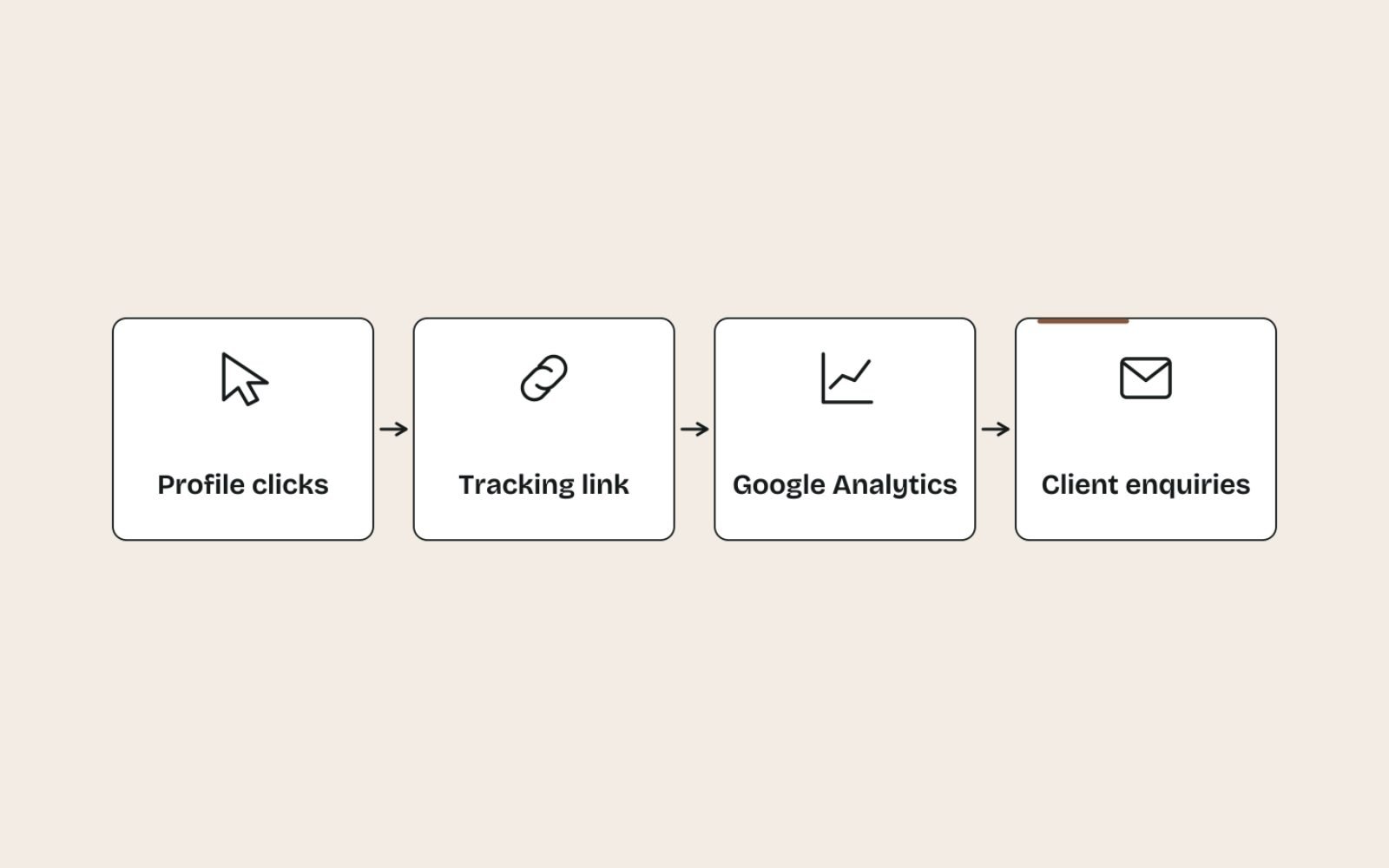
A profile is only worth the effort if it produces enquiries, so set up measurement on day one. Open the profile, select Performance, choose a date range and apply it.
For a firm, the metrics that matter most are calls, website clicks, direction requests and, if you take them, bookings. The Searches metric shows the terms people used to find the profile and updates at the start of each month.
You can also link the profile to GA4. In GA4, go to Admin, then Product links, then Google Business Profile links, and follow the prompts. Google’s help on linking Business Profile to Google Analytics notes that the metrics only cover the last six months and can’t be split by profile when several are linked.
For the tagged visits, open Reports, then Acquisition, then Traffic acquisition, and switch the primary dimension to Session campaign. Then close the loop with intake: a call isn’t a client, so record how each enquiry found the firm and whether it became a matter.
| Metric | What it tells you | If it drops |
|---|---|---|
| Calls | People ringing straight from the profile | Check the phone number, hours and whether you still appear for your main practice-area searches |
| Website clicks | People wanting more detail before they contact you | Check the linked page loads quickly on mobile and matches the profile |
| Directions | People planning a visit | Check the map pin, address and entrance photos |
| Search terms | Which queries surface the profile | Review categories, services and the practice-area pages on the website |
| New reviews per month | Whether your review requests are actually going out | Check the matter-closing checklist still includes the request |
Common mistakes that hold law firm profiles back
Most problems on law firm profiles come from shortcuts, not from a lack of effort. These are the ones to avoid:
- Keywords in the name. They break the guidelines and risk suspension.
- Profiles for virtual offices. A suburb you don’t operate from isn’t eligible.
- Duplicate profiles. Resolve old listings before you build on a new one.
- Review incentives. A discount on the final invoice for a review breaches Google’s policies, and Google can remove reviews and restrict the profile.
- Replies that reveal client details. One defensive reply can create a conduct problem far bigger than a bad review.
- Setting it and forgetting it. Wrong holiday hours and old photos tell clients nobody is minding the profile.
The bottom line
A law firm profile wins on accuracy and trust, not tricks. Real offices, real names, the right practitioner profiles and careful review replies keep the profile safe and make clients more likely to call.
Every firm has its own mix of offices, lawyers and practice areas, so the right set-up differs.
If you’d like help getting yours right, my Local SEO support for law firms and other local businesses covers the profile, the website and the review process together.
FAQs
1. Can a law firm have more than one Google Business Profile?
Yes, if it has more than one eligible office. Each staffed office that clients can visit gets one profile, and public-facing lawyers can have their own practitioner profiles. Each location may only have one profile for the firm itself.
2. Can I add “lawyer” or my practice area to my business name?
Only if it’s part of the name the firm genuinely uses on its signage, letterhead and website. Adding practice areas or suburbs purely for search breaks Google’s guidelines and can lead to suspension.
3. Should individual lawyers have their own Google Business Profile?
They can if they work in a public-facing role and can be contacted at the office during stated hours. The profile should use only the lawyer’s name. Support staff aren’t eligible, and a sole practitioner under a brand should share one profile named “[brand]: [name]”.
4. Can a law firm use a virtual office for its Google Business Profile?
No. Google doesn’t allow profiles for rented mailing addresses where the business doesn’t operate. A coworking office qualifies only with signage, staff on site and clients received there during business hours.
5. How should a lawyer respond to a negative Google review?
Keep it short and reveal nothing about any matter, including whether the reviewer was a client. A reply saying professional obligations prevent a detailed response, with an invitation to call, is usually the safest option. Check your own conduct rules, and report reviews that break Google’s policies.
6. Can law firms ask clients for Google reviews?
Yes, as long as you ask every client in the same way and offer nothing in return. Google bans incentives and selectively asking only happy clients. Some jurisdictions also restrict testimonials in legal advertising, so check your local rules before quoting reviews.