Broken link building means finding links on other websites that point to pages that no longer exist, then offering your own page as a working replacement. The site owner fixes a dead link for their readers, and you earn a relevant link that an editor chose to give.
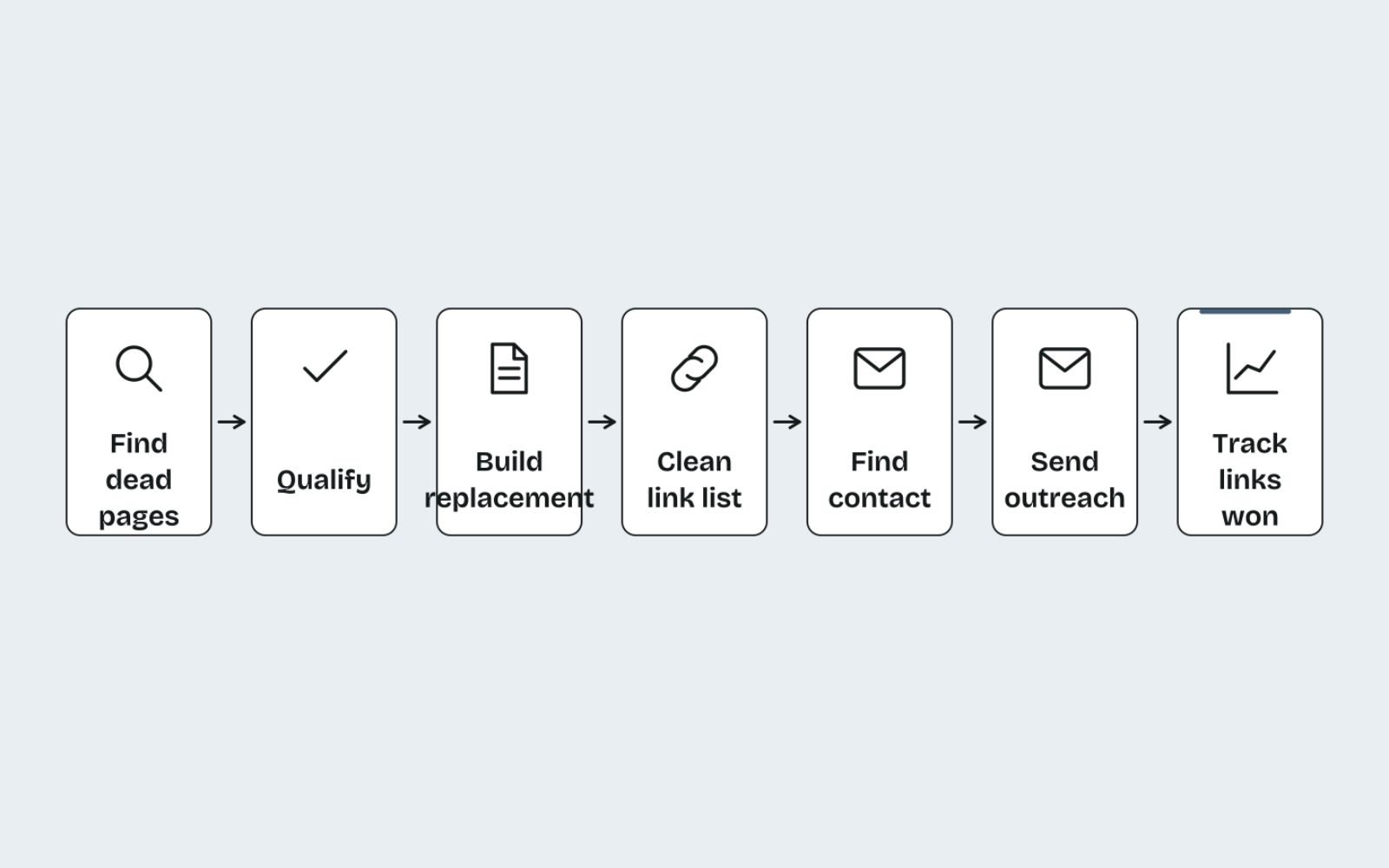
I'll take you through the seven steps I use, from finding dead pages that still have links to the email I send and the follow-up after it.
You'll get the exact Ahrefs and Semrush filters, a free method if you don't pay for tools, a qualifying checklist, copy-ready email templates and a simple tracker.
Key takeaways
- Target dead pages that still have links from several relevant sites, not single broken links scattered across random pages.
- Your replacement has to do the job the original page did. Check the archived version before you write a word.
- Lead outreach with the problem you are fixing, give its exact location, and send one follow-up only.
- Never offer payment or a link swap. Suggesting a replacement is fine; trading for the link is link spam.
- Fix your own broken backlinks first with 301 redirects. It is the fastest link win available.
What broken link building is, and when it is worth your time
Websites decay. Businesses close, pages get deleted in redesigns, and studies move to new URLs. Every link that pointed at those pages now sends readers to an error page, which reflects badly on the site that links to it.
Broken link building works because it is one of the few outreach approaches where you lead with something the other person wants: a fix. It is also one of the more dependable ways of earning backlinks without paying, because the editor still makes the final call.
It suits some niches better than others. Information-rich topics such as health, finance, trades, hobbies and B2B services have lots of resource pages and citations that decay. If your site is mostly product pages in a small niche, expect fewer openings and pair this with other methods.
| Situation | Worth it? | Why |
|---|---|---|
| Your niche has many resource and guide pages | Yes | Plenty of outbound links that decay over time |
| A competitor or organisation closed or redesigned its site | Yes, high priority | Many dead pages at once, often with strong links |
| The dead page was a tool or data set you could rebuild | Yes, if you can maintain it | Unique replacements tend to win the most links |
| The dead page had a few links from unrelated sites | Skip | Low relevance and few replies |
| You have nothing close to the dead page and can't build it | Skip for now | You would be offering a poor match |
Step 1: Find dead pages that still have links
The aim is a short list of dead URLs in your topic that still have links from several relevant sites. One dead page linked from 30 sites is worth far more than 30 single broken links, because one replacement page serves every one of those emails.
Using Ahrefs
- Open Site Explorer and enter a competitor's domain, a closed business in your niche, or an industry organisation.
- Open the Best by links report in the Pages section.
- Add the HTTP code filter and set it to 404 not found, as shown in Ahrefs' Best by links walkthrough.
- Sort by referring domains and note every page that matches a topic you cover or could cover.
Repeat this for five to ten sites. In my experience, the richest sources are defunct blogs, businesses that closed, and industry bodies that rebuilt their sites without redirecting old URLs.
Using Semrush
In Semrush, enter the domain in Backlink Analytics, open the Indexed Pages report and apply the Broken Pages filter for a competitor's error pages. Sort by referring domains, click the backlink count for a URL, then filter to Active links and export the pages still linking to it.
The free method: start from resource pages
Without a paid tool, work from the linking side. Find resource pages in your niche with search operators like these:
intitle:"resources" "your topic"
"useful links" "your topic"
inurl:resources "your topic" "your country"
intitle:"further reading" "your topic"
Then crawl those pages with Screaming Frog, which crawls up to 500 URLs free. Check the External tab filtered to client errors (4xx), and use the Inlinks tab at the bottom to see which page links to each dead URL. It is slower than a link index, but every opportunity you find is already confirmed live.
Step 2: Qualify each dead page
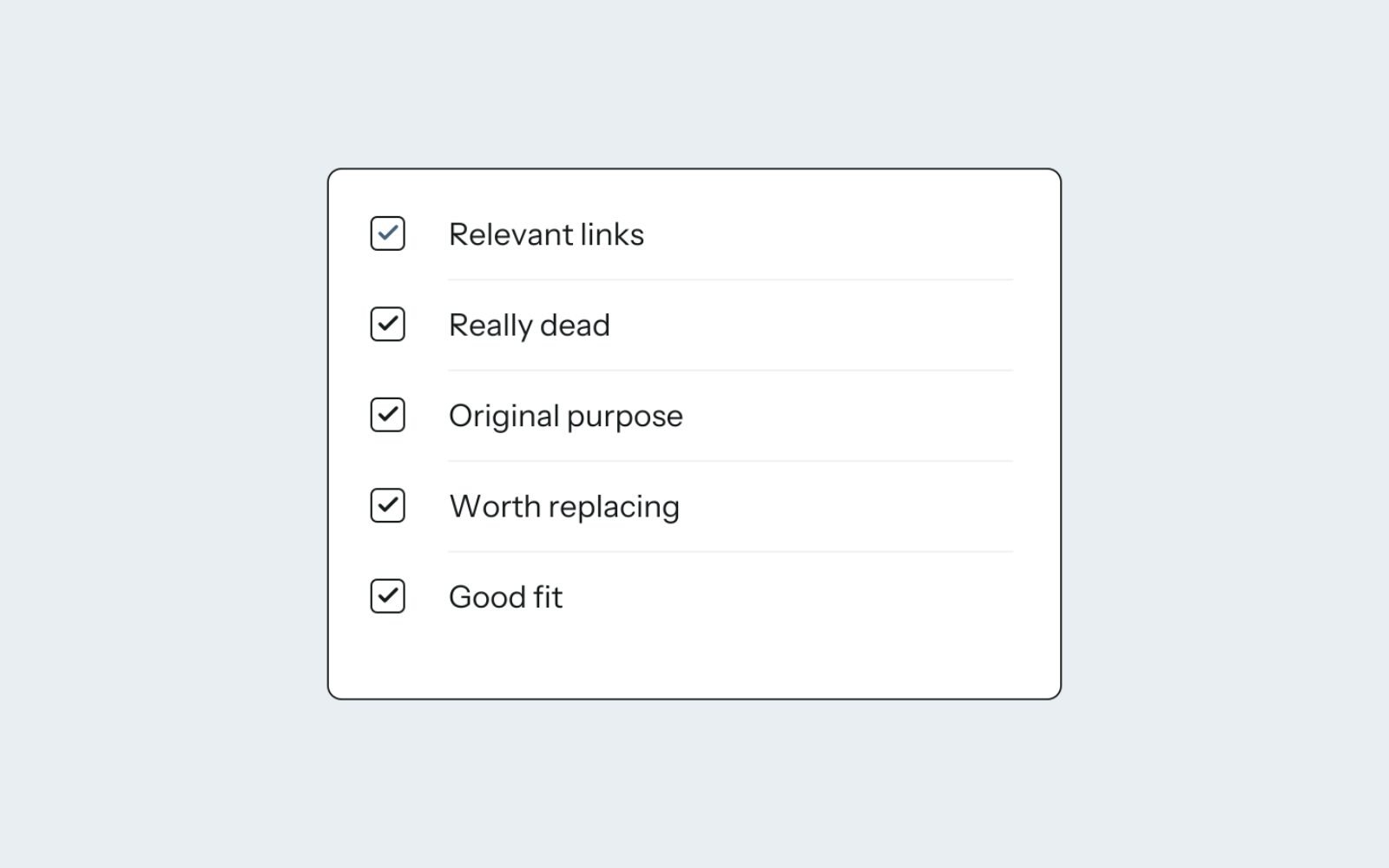
Not every dead page is worth chasing. Before I build or rewrite anything, I run each candidate through five checks.
| Check | How | Keep it if |
|---|---|---|
| Relevant links | Review the referring domains list | At least five relevant, real sites still link to it (my own threshold) |
| Really dead | Open the URL yourself | It returns 404 or 410, or redirects somewhere irrelevant |
| What it was | Find an archived copy | You understand the content and why people linked to it |
| Why it died | Check whether the content moved | It was removed, not just moved to a new URL the owner can fix |
| Your match | Compare your page with the archived version | You have, or can build, a page that meets the same need |
To see what the page used to say, paste the dead URL into the Internet Archive's Wayback Machine and open a capture from before it died. Then read the anchor text and surrounding sentences on a few linking pages. They tell you what people actually valued, which is often one table or one figure rather than the whole page.
Step 3: Build or improve your replacement
Your page has to do the job the dead page did. Editors compare them, so "better" means more current, more accurate and easier to use, not simply longer.
- Match the format and purpose. If the original was a checklist, don't offer a 4,000-word essay. Matching search intent applies to linkers as much as to searchers.
- Cover what linkers cited. If most links point to a specific figure or section, your page needs an equivalent, with your own sourcing.
- Bring it up to date. Current figures, current rules, working outbound links and a visible last-updated date.
- Don't copy. Archived content still belongs to its owner. Use it to understand the topic, then write your own.
Here is how the difference looks in practice, using a made-up example:
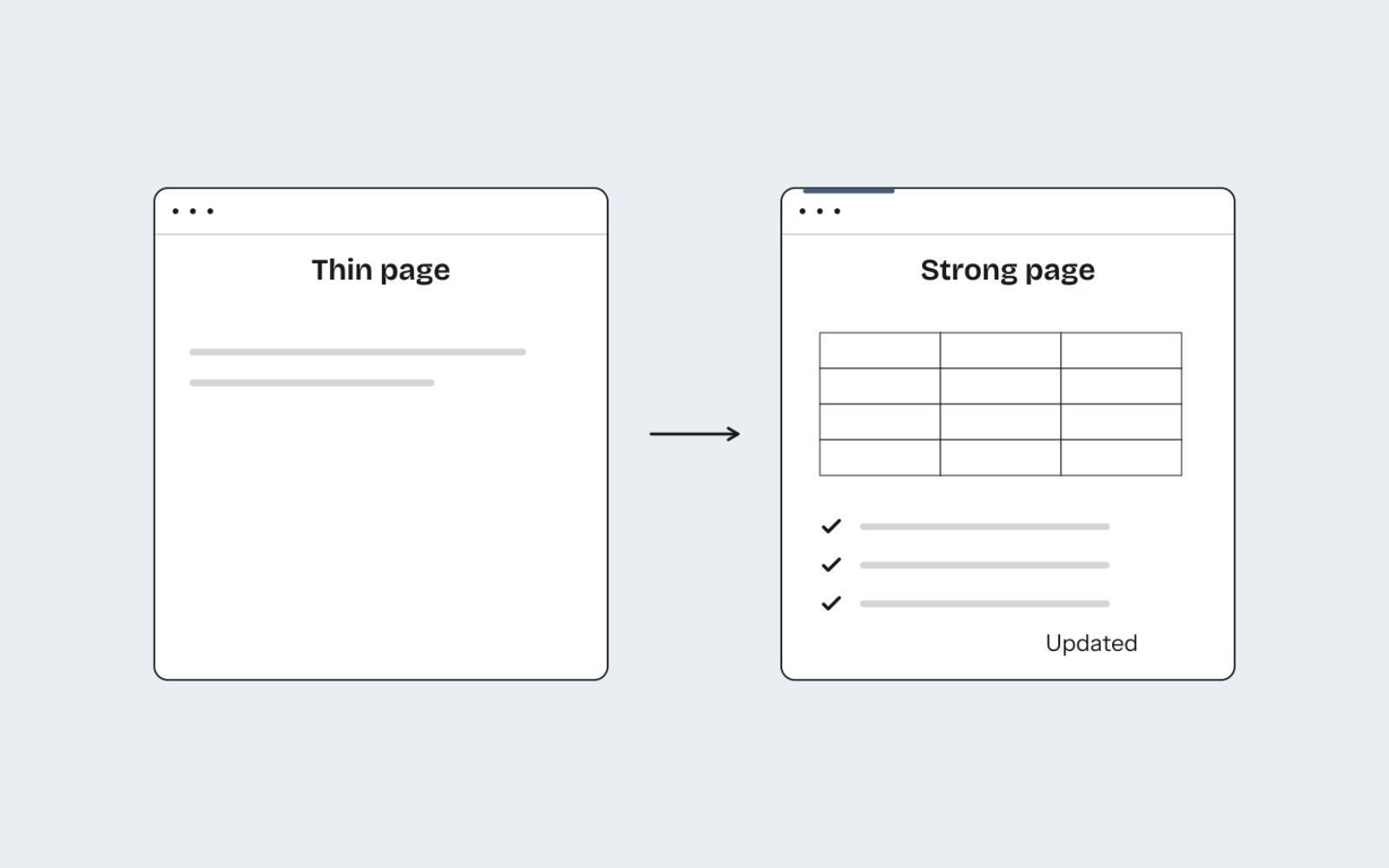
- Dead page: a 2017 home composting guide, linked mainly for its "what can and can't go in" table.
- Weak replacement: a general post about sustainable living with one paragraph on composting.
- Strong replacement: a do-and-don't table covering 40 common items, a troubleshooting section for smells and pests, and a printable checklist, dated and sourced.
The strong version answers the exact need that earned the original its links. If writing pages like this is your bottleneck, that is where help with content writing and website copy pays off.
Step 4: Pull and clean the list of linking pages
Raw exports are full of noise. Cleaning the list takes an hour and saves you from emailing scrapers and spam sites.
- Export every linking page. In Ahrefs, click the referring domains figure for the dead URL. In Semrush, use the backlinks report for that URL filtered to Active.
- Keep one row per domain, choosing the most relevant page on each site.
- Remove the junk: scraper sites, spam directories, link farms and sites in languages you can't pitch in.
- Remove pages that are dead or redirected themselves.
- Confirm the link is still there. Link indexes lag behind reality, so crawl the list in Screaming Frog's list mode or open each page.
- Note exactly where the link sits: the sentence or list item and its anchor text. You will quote this in your email.
A clean list is usually much shorter than the export. That is fine. You want relevance, not volume.
Step 5: Find the right person to email
The best contact is whoever maintains the page: the named author for an article, the section editor for a publication, or the owner of a small business site.
- Author bylines and author pages usually name the right person.
- Contact, team or editorial pages list roles and direct addresses.
- LinkedIn helps confirm that someone still holds the role.
- A contact form is the last resort. Keep the message even shorter there.
Generic info@ addresses rarely reach editors at large publications. On small sites, they are often the owner's own inbox, so they are fine to use.
Step 6: Send the outreach email
Lead with the problem, give its exact location, then suggest your page as one option. Never make the tip conditional on them linking to you. Keep each email personal: one person, one page, one dead link.
Template: the standard broken link email
Subject: Broken link on your [page title] page

Hi [First name],

I was reading your [page title] page ([URL]) and noticed the link to
[dead page name] in the [section name] section now goes to an error
page. It's the link on "[anchor text]".

If you're looking for a replacement, I recently published
[your page title], which covers [the same need, e.g. "what can and
can't go in a home compost, with a printable checklist"]:
[https://yourdomain.com/page]

Either way, thought you'd want to know about the dead link.

Thanks,
[Your name]
[Role], [Your Business]
Template: when you rebuilt a dead resource
Subject: [Original resource name] is offline: an updated version

Hi [First name],

Your [page title] page links to [original resource name] from
[organisation], which has been offline since [month/year].

I've published an updated version with current [figures/rules]
for [year]: [https://yourdomain.com/page]. It keeps the [table/section]
your readers would have used, plus [one genuine improvement].

Happy for you to use it if it's helpful.

[Your name]
Template: the soft-touch first email
For high-value prospects, I sometimes ask before pitching. It costs a day, but the reply rate on the second email is usually better because they asked for it.
Subject: Quick question about your [page title] page

Hi [First name],

I found a couple of broken links on your [page title] page while
researching [topic]. Would you like me to send them over?

[Your name]
When they reply, send the dead links with their locations, and mention your page as one possible replacement.
Template: one follow-up
Send it once, five to seven working days later, as a reply in the same thread.
Subject: Re: Broken link on your [page title] page

Hi [First name],

Just a quick nudge in case this got buried. The dead link is the
"[anchor text]" link in your [section name] section.

My replacement suggestion is here if useful: [URL]

No need to reply if it's not a fit. I won't follow up again.

[Your name]
Step 7: Track, follow up and confirm
Treat each dead page as a small campaign. Track every prospect so you know who to follow up, which emails work and which links you have actually won.
| Column | What to record |
|---|---|
| Dead URL | The broken page you are replacing |
| Linking page | The exact URL and where the link sits |
| Contact | Name, role and email |
| Sent / follow-up | Dates of the first email and the single follow-up |
| Outcome | Linked, declined, removed the link, or no reply |
| Live check | Date you confirmed the new link, and whether it is followed or nofollow |
Measure each campaign by links won per dead page, not by emails sent. Then watch what the links do: new referring domains to your replacement page in Ahrefs, and its impressions, clicks and average position in Search Console's Performance report with a Page filter. Re-check won links every few months, because pages get edited.
Expect plenty of silence. Some editors will fix the link without using your page, and that is still a good outcome for the web, if not for you.
Reclaim your own broken backlinks first

Before you chase other people's dead links, fix yours. Every backlink pointing at a 404 on your site is a link you already earned and are now wasting.
- In Ahrefs, enter your own domain in Site Explorer and open the Broken backlinks report in the Backlinks section, or use Best by links with the 404 filter.
- In Search Console, open Indexing, then Pages, and review URLs listed under "Not found (404)".
- For each dead URL that has links, set up a 301 redirect to the closest relevant live page. Google recommends a permanent server-side redirect when a URL moves for good.
- If there is no relevant page, leave the 404 in place rather than sending everything to the home page, which confuses visitors who expected something specific.
In my Carnivore Society work, about 180 thin or overlapping URLs were retired with 301 redirects to the closest live page, and 35 redirect chains were flattened. I treat this as a standard step in any full technical SEO audit, because every site collects dead URLs over time.
Staying within Google's spam policies
Broken link building is fine because the editor chooses freely whether to use your page. It crosses the line the moment you trade for the link. Google's spam policies list exchanging goods or services for links and excessive link exchanges as link spam.
- Don't offer money, gift cards or free products "for the update".
- Don't offer a link back in return.
- Don't ask for keyword-rich anchor text. Let them describe your page.
- Don't automate mass campaigns with merge fields and no real check of each page.
- Do accept nofollow links gracefully. Readers still click them.
The bottom line
Broken link building rewards patience and relevance. Find dead pages with real links, build a replacement that genuinely does the job, and write short, helpful emails.
It pairs well with digital PR for small brands, which earns links from new coverage while this method recovers links from old pages.
Every site has its own mix of dead URLs and missed links, so I check your broken backlinks as part of a one-off SEO audit before suggesting any outreach.
FAQs
1. Does broken link building still work?
Yes, when it is targeted. Pages keep dying, so the opportunities keep appearing. It works best when you replace a dead page that many relevant sites linked to, with a page that genuinely does the same job.
2. What response rate should I expect?
It varies widely by niche, the quality of your replacement and how personal your emails are. Rather than chasing a benchmark, track your own replies and links per dead page, and improve the weakest step.
3. Is broken link building allowed by Google?
Yes. Telling a site about a dead link and suggesting a replacement is normal outreach, and the editor decides. It becomes link spam if you pay, swap links or require specific anchor text in return.
4. What tools do I need for broken link building?
A link index such as Ahrefs or Semrush makes finding dead pages fast. You can start free with search operators, Screaming Frog for checking outbound links, and the Wayback Machine for seeing what dead pages contained.
5. How do I find broken links on a website for free?
Crawl the site with Screaming Frog's free version and filter the External tab to client errors (4xx). For a single page, you can also open it and test the links in its resource or further reading sections by hand.
6. Should I recreate the dead page exactly?
No. Use the archived version to understand what people valued, then write your own, more current page that meets the same need. The original content belongs to its owner, and editors will notice a copy.