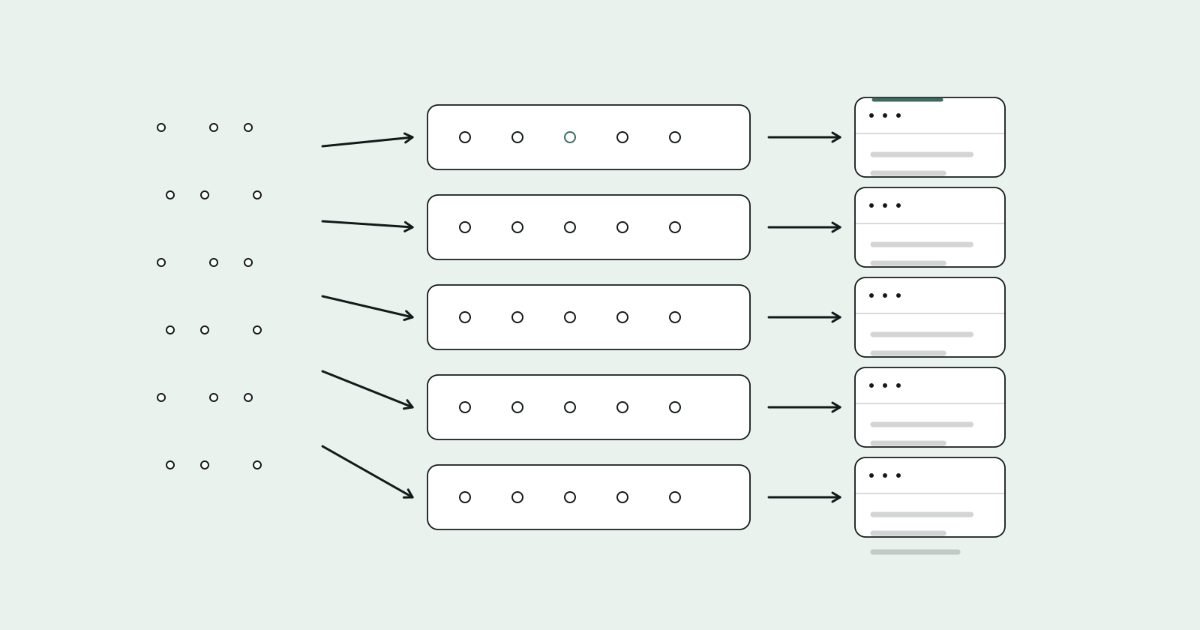
Keyword clustering means grouping keywords that one page can satisfy, usually because Google shows mostly the same results for them, and then giving each group exactly one page. It stops you writing near-identical pages that compete with each other for the same search.
I'll show you the three ways to cluster, the process I actually use, and a worked example from a raw keyword list to a finished page plan.
You'll also get a keyword map template you can copy, and a clear way to find and fix pages that are already competing.
Key takeaways
- A cluster is a group of keywords that one page can rank for. One cluster, one page, one primary keyword.
- Shared words are a fast first draft. Shared search results are the real test.
- Split clusters by intent, even when the words look almost identical.
- Record every cluster in a keyword map, so you never brief the same page twice.
- Fix existing cannibalisation by merging and redirecting duplicates, or by giving each page a clearly different job.
What keyword clustering is, and what it isn't
People use "cluster" for two different things, and mixing them up causes most planning mistakes.
| Page-level keyword cluster | Topic cluster | |
|---|---|---|
| What it is | Keywords one page can rank for together | A group of related pages on one subject |
| Example | "cold brew ratio", "cold brew coffee ratio", "coffee to water ratio for cold brew" | A cold brew hub linking to pages on ratios, equipment, steeping time and storage |
| Output | One URL with a primary and secondary keywords | A hub page plus several spoke pages |
| Main risk if skipped | Two pages competing for the same search | Scattered pages with no clear topical focus |
Most of what follows is about page-level clusters, because that's where cannibalisation starts. Topic clusters are built from them later.
If you're starting with a brand-new domain, pick your keywords first using the filters in finding keywords a new site can rank for, then cluster the shortlist.
Why clustering matters
When two of your pages target the same intent, you split the signals that would otherwise help one page rank. Links, internal links and engagement get shared between two URLs, and Google may swap which one it shows.
Clustering prevents three costly problems:
- Cannibalisation: two or more of your pages competing for the same query, often with neither reaching the top results.
- Wasted content budget: paying to write five pages where one stronger page would rank better.
- Messy internal linking: if two pages target the same phrase, you can't link that phrase consistently to one destination.
That last point matters more than it looks. On the Cost Cut Meats site, internal links went from 621 to 750, and each anchor phrase points to one page only. That's only possible when each page has a clearly defined keyword cluster.
Three ways to cluster keywords
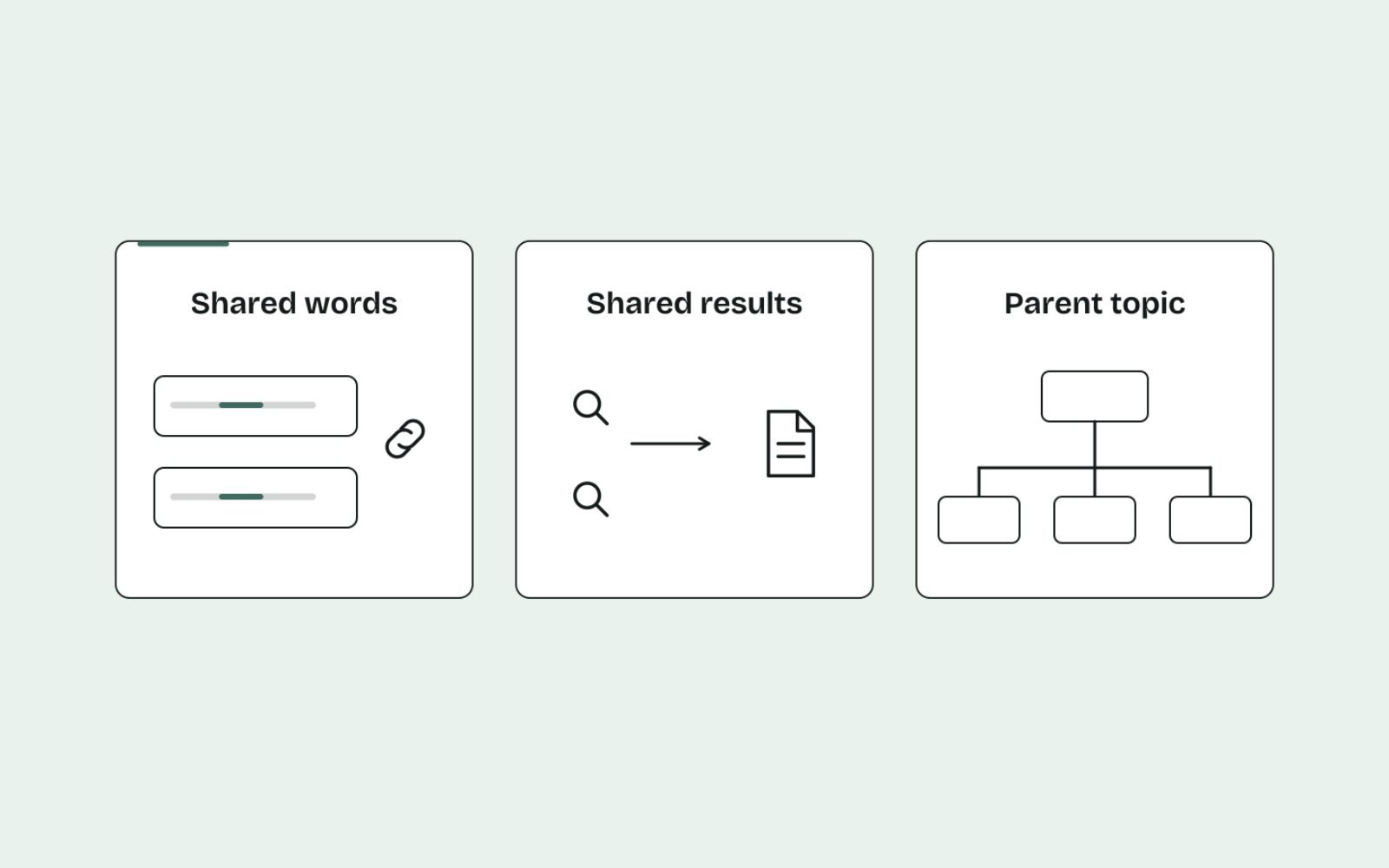
There are three main approaches. They trade speed against accuracy, so I use them together rather than picking one.
| Method | How it groups | Strength | Weakness | Best for |
|---|---|---|---|---|
| Shared words | Keywords that contain the same important words | Fast, free, handles thousands of keywords | Misses synonyms and can't see intent | A first draft of large lists |
| Shared results (SERP overlap) | Keywords whose top 10 results share several URLs | Reflects how Google actually groups searches | Needs live data, slower or paid at scale | Deciding final page boundaries |
| Parent topic | Keywords that the same #1 page ranks for | Quick, built into Ahrefs | Depends on one ranking page per keyword | Spotting the broader target keyword |
Shared words
This approach compares the meaningful words in each keyword, ignoring small words like "the" or "for". "Cold brew ratio" and "ratio for cold brew" land together.
My free keyword clustering tool works this way. It runs in your browser, handles up to 2,000 keywords and suggests a main keyword for each group, which makes it a quick starting point.
Shared results
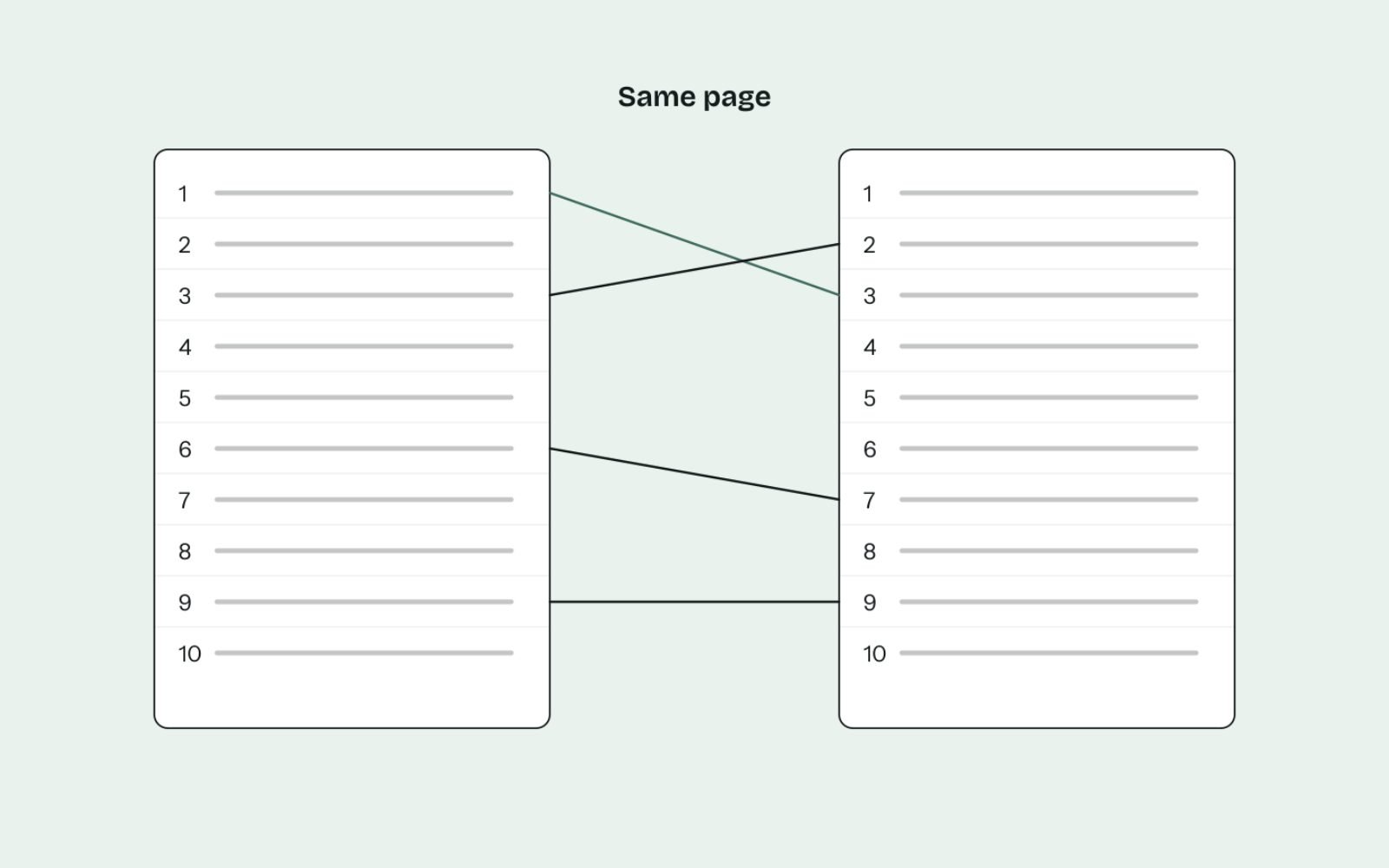
SERP-based clustering groups keywords that return the same or similar pages. If Google ranks the same URLs for two searches, it treats them as the same need, so one page can serve both.
My working rule: if roughly four or more of the top 10 URLs are shared, the keywords go on one page. If one or two are shared, they get separate pages. Between those, I open both results pages and judge the intent by eye.
Parent topic
Ahrefs Keywords Explorer has a "Clusters by Parent topic" view and a separate "Cluster by terms" view. Parent topic groups keywords by the search that sends the most traffic to the top-ranking page.
It's useful for spotting when your narrow keyword is really part of a bigger one. If the parent topic of "cold brew ratio for 1 litre" is "cold brew ratio", target the broader term and cover the variation on the same page.
My step-by-step clustering process
Every site has its own catalogue, competitors and history, so the details shift from project to project. These are the steps I work through.
- Export a focused list. One topic at a time, with keyword, volume and difficulty columns. Mixing topics makes the groups noisy.
- Clean it. Remove duplicates, misspellings, competitor brand names and anything you'd never write about.
- Run a first pass by shared words. Start on a balanced setting. Loosen it for broad topic groups or tighten it for page-level groups.
- Check results overlap for each group's main keyword. Search the main keyword of each group and compare it with neighbouring groups. Merge groups that share most of the same results.
- Split by intent. Pull out any keyword whose results show a different page type, even if the words match.
- Choose a primary keyword per cluster. Usually the term with the most traffic potential that still describes the page precisely.
- Map each cluster to one URL. An existing page if one fits, otherwise a new page. Never two.
Step 5 catches the clusters that word-matching gets wrong. "Coffee grinder" and "coffee grinder repair" share two words, but one wants products and the other wants a service or a how-to guide. Reading the page types properly is covered in search intent and page types.
Worked example: from 18 keywords to six pages
Imagine an online store selling home coffee equipment. After step 2, the list for the "cold brew" topic looks like this:
cold brew maker
cold brew coffee maker
best cold brew maker
cold brew maker australia
cold brew pitcher
cold brew ratio
cold brew coffee ratio
coffee to water ratio cold brew
how long to steep cold brew
cold brew steeping time
how long does cold brew last
how long does cold brew last in the fridge
cold brew vs iced coffee
difference between cold brew and iced coffee
cold brew concentrate
how to make cold brew concentrate
cold brew recipe
how to make cold brew at home
A shared-words pass gives a rough draft. Checking the results and intent then produces the final plan:
| Cluster | Primary keyword | Secondary keywords | Intent | Page |
|---|---|---|---|---|
| Makers | cold brew maker | cold brew coffee maker, cold brew pitcher, cold brew maker australia | Transactional | Collection page |
| Best makers | best cold brew maker | (add comparison variations as you find them) | Commercial | Comparison guide |
| How to make it | how to make cold brew at home | cold brew recipe, cold brew ratio, cold brew coffee ratio, coffee to water ratio cold brew, how long to steep cold brew, cold brew steeping time | Informational | Main guide (hub) |
| Concentrate | how to make cold brew concentrate | cold brew concentrate | Informational | Supporting guide |
| Storage | how long does cold brew last | how long does cold brew last in the fridge | Informational | Supporting guide |
| Comparison | cold brew vs iced coffee | difference between cold brew and iced coffee | Informational | Supporting guide |
Three decisions are worth explaining:
- "Best cold brew maker" split from "cold brew maker". The words overlap, but one shows product listings and the other shows reviews and roundups. Different page types mean different pages.
- Ratio and steeping time merged into the main guide. In this scenario, their results are dominated by full how-to guides, so a separate ratio page would compete with the main guide. If the ratio results showed dedicated calculators or short answer pages, I'd split it out.
- Six clusters, six pages. The plan is one collection page, one comparison guide, one hub guide and three supporting guides, each with a single job.
These are illustrative decisions. The results for your market may group differently, which is exactly why the check in step 4 matters.
Turn clusters into a keyword map

A keyword map is the single sheet that records which page owns which cluster. Before anyone writes a brief, they check the map. If the cluster is already owned, the work becomes an update, not a new page.
Here's the column layout I use. Copy it into a spreadsheet:
Cluster | Primary keyword | Secondary keywords | Intent | Page type | URL | Status | Links from | Links to | Last reviewedThree columns do most of the work:
- URL: exactly one per row. If you're tempted to add a second, you have a cannibalisation problem in the making.
- Status: planned, briefed, live or needs update. This turns the map into a content calendar.
- Links from and links to: the pages that should link in and out. This is where your internal linking plan comes from.
Review the map every quarter. New keywords either join an existing cluster, which means updating that page, or form a new one.
Hubs, spokes and internal links
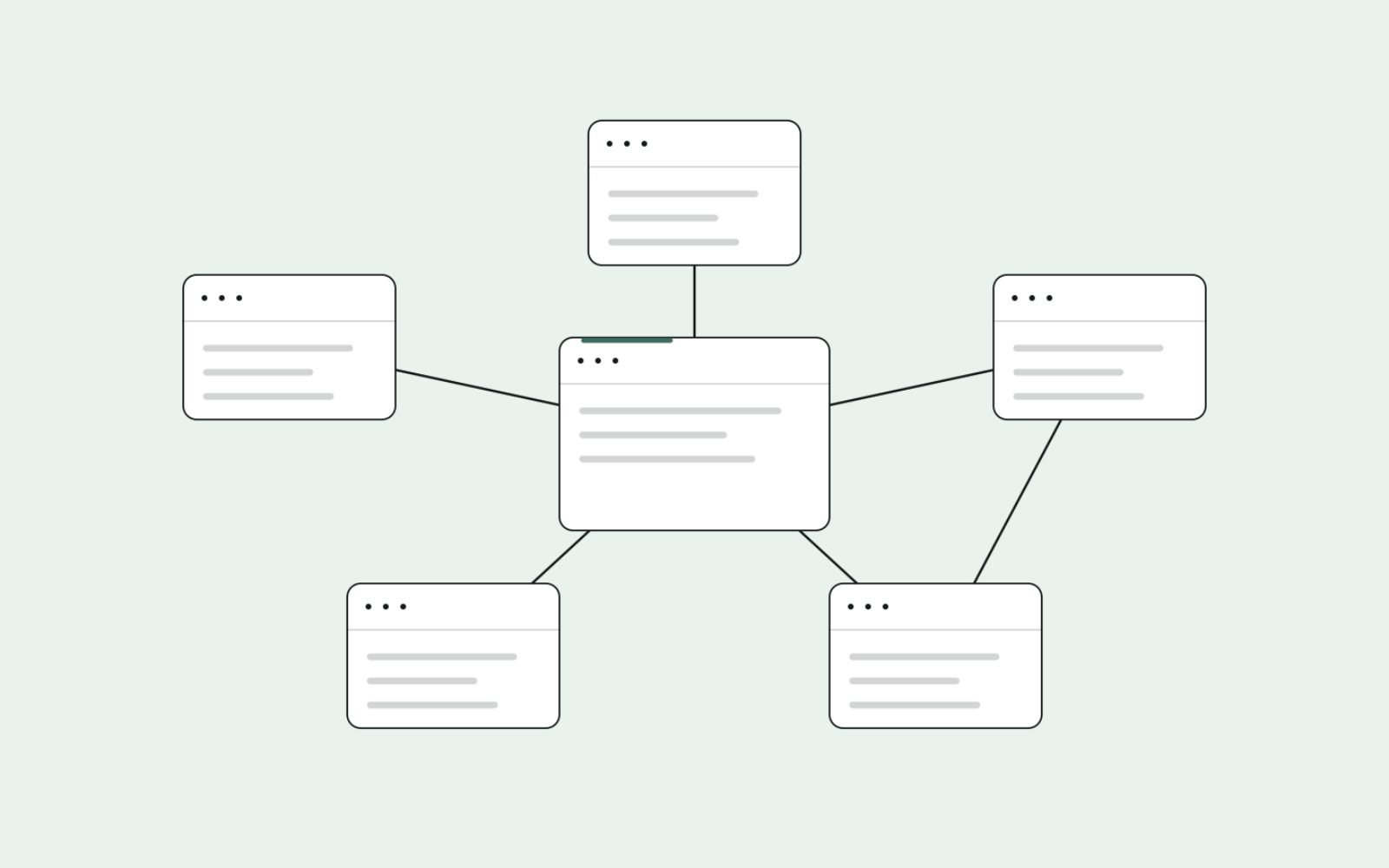
Once you have page-level clusters, group the pages into topics. The broadest informational page usually becomes the hub, and the narrower pages become spokes.
The linking pattern is simple:
- The hub links to every spoke, using each spoke's primary keyword or a close variation as the anchor.
- Each spoke links back to the hub, and to sibling spokes where it genuinely helps.
- Informational pages link to the relevant collection or service page, so visitors who are ready can act.
In the coffee example, the "how to make cold brew at home" guide links to the storage, concentrate and comparison guides, and to the cold brew maker collection.
On online stores, the collection side of this pattern has its own rules. I cover them in long-tail category page planning. If your store runs on Shopify, the mechanics are in internal linking on Shopify.
How to find and fix cannibalisation you already have
If your site already has content, some clusters are probably split across several pages. Here's how I find them.
- In Search Console, open Performance, then Search results.
- Add a query filter for a keyword you care about.
- Open the Pages tab. If two or more of your URLs collect impressions for that query, note them.
- Repeat for your main keywords, or use a regex query filter in Search Console to check a whole cluster at once.
Two URLs sharing impressions isn't always a problem. A collection page and a buying guide can both appear for a broad term. It's a problem when they swap positions over time, or when neither reaches the first page.
Then choose a fix:
| Situation | Fix |
|---|---|
| Two pages, same intent, both thin or similar | Merge the best content into the stronger URL and 301 redirect the weaker one |
| Two pages, same intent, one clearly stronger | Redirect the weaker one, or rewrite it to target a different cluster |
| Two pages, genuinely different intents | Sharpen titles, headings and intros so each page clearly signals its own job |
| Duplicate pages you need to keep, such as print versions | Use a canonical tag pointing to the main version |
When you consolidate, a redirect is the strongest signal. Google's documentation lists redirects as a stronger canonical signal than rel="canonical". After any merge, update internal links to point straight at the surviving URL.
Common clustering mistakes
- Trusting word matches alone. Shared words are a draft. Without checking the results, you'll merge different intents and split identical ones.
- Clustering too tightly. Separate pages for "cold brew ratio" and "cold brew coffee ratio" is the classic way to create thin, competing content.
- Clustering too loosely. One giant page for an entire topic usually ranks for nothing in particular.
- Ignoring existing pages. Mapping new clusters without checking what's already live is how most cannibalisation starts.
- Choosing the primary keyword by volume alone. Pick the term that best describes the page, then check its traffic potential.
- Never updating the map. A keyword map that's six months stale gets ignored, and duplicate pages creep back in.
The bottom line
One intent, one page. Clustering is how you make that rule work across hundreds of keywords.
Draft clusters by shared words, confirm them against the live results, split them by intent and record every decision in a keyword map. Then link the pages into topics so each one supports the others.
Clustering is the backbone of every content plan I build. If you'd like your keyword research turned into a clear page plan, see how my SEO strategy and content management work runs.
FAQs
1. What is keyword clustering in SEO?
It's the process of grouping keywords that one page can rank for, usually because they share intent and similar search results. Each group then gets one page with one primary keyword, which prevents your own pages competing with each other.
2. How many keywords should be in one cluster?
There's no fixed number. Some clusters have two keywords, others have dozens of long-tail variations. Let the results decide: if Google shows the same pages for them, they belong together.
3. What is the difference between keyword clustering and topic clusters?
Keyword clustering groups keywords for a single page. A topic cluster groups several pages around one subject, usually a hub page linked to more specific spoke pages.
4. Do I need paid software to cluster keywords?
No. A free word-based tool gives you a first draft, and checking the results by hand confirms the groups. Paid tools speed up results-based clustering when you have thousands of keywords.
5. How do I know if two keywords need separate pages?
Search both. If most of the top results are the same pages, use one page. If the results show different page types or mostly different URLs, give each its own page.
6. What should I do if two of my pages already compete?
If they serve the same intent, merge the content into the stronger page and 301 redirect the other. If they serve different intents, rewrite the titles and intros so each page's job is unmistakable.