
A local landing page earns its place when it tells someone in that area something your other pages can’t: who serves them, how the service works there, proof of nearby work and how to reach you. Pages that only swap the suburb name are what Google calls doorways, and they rarely help anyone.
The fix isn’t to avoid location pages. It’s to build fewer of them, for the right areas, with genuinely local content.
Below I explain how I decide which areas deserve a page, what goes on each one and how to set them up technically. You’ll also get a page template, a before-and-after rewrite and a way to measure whether each page is pulling its weight.
Key takeaways
- Build a page only where you genuinely serve the area and can say something specific about it.
- Use the “swap test”: if a paragraph would still be true with another suburb’s name in it, it isn’t local content.
- Office pages, service-area pages and service-in-suburb pages do different jobs. Choose the type before you write.
- Match every page to its Google Business Profile, and never claim an address you don’t operate from.
- Judge each page on impressions, enquiries and calls from that area, and merge the ones that never earn any.
Why most location pages look like spam
Most location pages fail because they were built to catch searches, not to help people. Someone writes one page, duplicates it 40 times and changes the suburb name in the heading.
Google’s spam policies describe this pattern directly. Its definition of doorway abuse includes pages targeted at specific regions or cities that funnel users to one page, and substantially similar pages that sit closer to search results than a clear site structure.
The same policies also cover scaled content abuse: many pages generated mainly to manipulate rankings, however they’re produced. Generating 200 suburb pages with an AI tool, without adding value for readers, falls squarely into that.
When I plan a local SEO strategy for a business that serves several areas, I treat every proposed location page as a claim that has to be backed by real local substance. If the substance isn’t there, the page doesn’t get built.
Decide which areas deserve a page

Start with evidence, not a list of every suburb within driving distance. A page is worth building when people in that area search for you, you actually serve them, and you have local detail to share.
Find the demand
- In Google Search Console, open Performance, then Search results, and filter queries containing each suburb or town name. Note impressions and which page currently shows.
- In your Google Business Profile, check the Searches metric under Performance for terms that include place names.
- Check your enquiry records or CRM for where customers actually came from over the last year.
- Use Ahrefs or Semrush to check search volume for “[service] [place]” terms, remembering that small towns often show zero volume even when real people search.
Then check whether the searches need separate pages at all. If “plumber Parramatta” and “Parramatta emergency plumber” show the same results, they belong on one page. Grouping terms by shared results is the same method I use for keyword clustering.
Apply the decision rules
| Situation | Build a page? | Why |
|---|---|---|
| You have a staffed office or shop there | Yes | Visitors need the address, hours, directions and local team |
| You serve the area often, with local jobs and reviews to show | Usually | You have proof and detail no other page carries |
| You serve it, but the service is identical to everywhere else | No | List it on a single service-area page instead |
| Demand exists but you rarely work there | No | You’d be promising a service you don’t really provide |
| Dozens of small suburbs in one region | One regional page | A page for the region, listing the suburbs, beats many thin ones |
Choose the right type of local page
Not every local page does the same job, and mixing them up is how thin content creeps in. Decide the type first, because it sets what the page must contain.
Office or shop location pages
These are for places customers visit. They need the exact address, hours, map, directions, parking, accessibility notes, the team based there and the services offered at that site.
Each one should pair with its own Google Business Profile. For multi-office professional firms, I explain how that pairing works in setting up a Google Business Profile for law firms.
Service-area pages
These are for businesses that travel to customers, such as trades, cleaners and mobile vets. One page per region you serve, listing the suburbs covered, how call-outs work, typical response times and any travel fees.
A service-area page never shows a street address you don’t operate from. If your base is a home address, you don’t need to publish it at all.
Service-in-location pages
These target a specific service in a specific place, such as “solar installation in Geelong”. Build them only where demand is clear and the service genuinely differs locally: different regulations, rebates, housing stock, terrain or project examples.
This is the type most likely to slide into doorway territory, so hold it to the highest bar.
What a useful local page includes
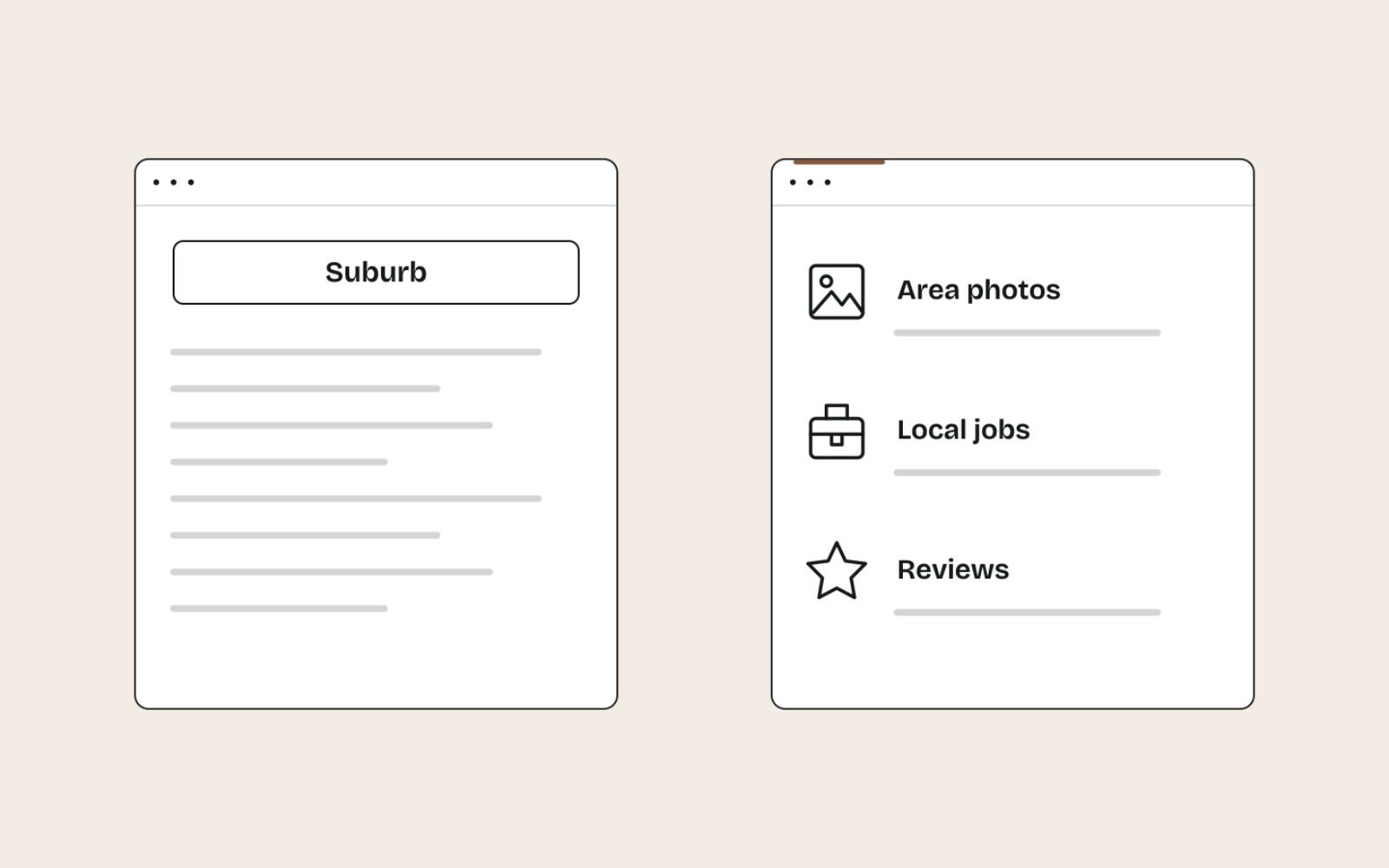
A useful local page answers the questions someone in that area has before they contact you. My test is the swap test: read each paragraph and ask whether it would still be true if you swapped in another suburb’s name.
If it would, it’s generic. Keep a little generic content for context, but the page has to stand on the paragraphs that fail the swap test.
| Element | Generic version | Local version |
|---|---|---|
| Intro | “We offer reliable electrical services in Blacktown.” | “Our Blacktown team is based on Main Street and covers Seven Hills, Doonside and Quakers Hill, usually within two hours for urgent call-outs.” |
| Proof | “We have many happy customers.” | A short write-up of a switchboard upgrade in a 1970s Blacktown home, with photos and the customer’s permission |
| Reviews | A rotating widget of all reviews | Two or three reviews from customers in that area, quoted with permission |
| Practical details | “Contact us today.” | Parking, access, call-out fees for outlying suburbs and booking lead times in that area |
| FAQs | “Are you licensed?” | Questions people in that area ask, such as council approvals or older wiring common in local homes |
Note that the “Local version” intro above is written in the business’s own voice, as the page itself would be. Your sources for this material are your own job records, reviews, team knowledge and customer questions, not a rewrite of a competitor’s page.
Reviews from people in that area are some of the strongest local proof you can add. A steady supply depends on a simple review request process, ideally one that records where each customer is based.
A page structure you can copy
This structure works for most office and service-area pages. Adjust the order to suit what your visitors need first.
- H1 and opening: the service and the place, then one or two sentences that answer “can you help me here, and how fast?”
- Services in this area: what you offer there, and anything that differs from your other areas.
- Local proof: one or two recent projects or case notes, with photos and permission.
- Reviews: two or three from local customers.
- Practical details: address and hours or service boundaries, travel fees, response times, parking and access.
- Team: the people who serve that area, with a line on each.
- Local FAQs: three to five questions customers from that area really ask.
- Contact: phone, form and a map, with the same details as the Business Profile.
For the title tag and meta description, keep the place name natural and specific:
Title: Electrician in Blacktown | Same-Day Call-Outs | Brightline Electrical
Meta: Licensed electricians based in Blacktown, covering Seven Hills, Doonside and Quakers Hill. Switchboard upgrades, safety checks and urgent repairs.
Run drafts through my free title and meta description checker to catch truncation before you publish.
Before and after: rewriting a thin suburb page
Here’s a typical thin suburb page, followed by how I’d rewrite it. The business is a fictional electrician used for illustration.
Before:
Best Electrician Blacktown | Cheap Electrician Blacktown

Looking for the best electrician in Blacktown? Brightline Electrical is the
number one electrician Blacktown residents trust. Our Blacktown electricians
offer cheap, reliable electrical services in Blacktown and surrounding areas.
Call the best Blacktown electrician today!
Every sentence repeats the keyword, and none of it passes the swap test. Replace “Blacktown” with “Penrith” and nothing becomes untrue.
After:
Electrician in Blacktown

Brightline's Blacktown team works out of Main Street and covers Seven Hills,
Doonside, Quakers Hill and Marayong. Urgent call-outs in these suburbs are
usually reached within two hours on weekdays.

Many of the older homes we visit in these suburbs still have their original
switchboards without safety switches. Last month we replaced
one in a Doonside home and added RCD protection to every circuit (photos below).

Parking: our vans need driveway or street access. Travel fee: none within the
suburbs listed above; outer suburbs are quoted before booking.
The rewrite mentions the place fewer times, yet it’s far more clearly about Blacktown. That’s the trade you want: fewer keywords, more local substance.
Writing pages like this takes interviews with the team and a look through job records. If you don’t have time for that, it’s the kind of work my content writing service covers.
Technical set-up: URLs, internal links and structured data

Good content still needs a clean structure, or the pages end up orphaned and ignored. Keep the technical side simple and consistent.
URLs and a locations hub
Use short, readable URLs such as /locations/blacktown/ and link every location page from a single locations hub. The hub should be reachable from your main navigation or footer, so neither visitors nor crawlers need search to find a page.
Internal links
Link to each location page from the hub, from relevant service pages and from nearby location pages where it helps visitors. Avoid footer blocks listing 60 suburbs, which help no one.
Internal linking is where many sites leak value. On the Cost Cut Meats site, I took orphan pages from 45 to 0 by giving every page at least one relevant link, and location pages need the same discipline. Thin location pages are the other leak: on Carnivore Society, about 80 thin suburb pages were retired with 301 redirects.
Structured data
Google’s LocalBusiness structured data guidelines say to define each location as its own LocalBusiness and to use the most specific subtype possible. Add it to office pages with a real address, and make it match the Business Profile.
<script type="application/ld+json">
{
  "@context": "https://schema.org",
  "@type": "Electrician",
  "name": "Brightline Electrical",
  "url": "https://www.example.com.au/locations/blacktown/",
  "telephone": "+61 2 0000 0000",
  "address": {
    "@type": "PostalAddress",
    "streetAddress": "12 Main Street",
    "addressLocality": "Blacktown",
    "addressRegion": "NSW",
    "postalCode": "2148",
    "addressCountry": "AU"
  }
}
</script>
Don’t add review stars about your own business. Google’s review snippet guidelines make LocalBusiness pages ineligible for star ratings when the business controls the reviews about itself.
Connect each page to its Business Profile
A location page and its Business Profile should read like two views of the same business. The name, address, phone and hours must match exactly, down to the suite number and phone format.
- Website link: point each office’s profile at its own location page, tagged with UTM parameters so you can see those visits in GA4.
- Service areas: Google lets a business set up to 20 service areas on its profile, as cities, postcodes or other named areas. Your service-area pages should describe the same areas.
- Photos: use the same real photos of the premises and team on the page and the profile.
If a business is new to all of this, the profile comes first. I set out the order of work in a 30-day local SEO plan.
Mistakes that turn location pages into doorways
- Mass-producing pages. One template, 50 suburbs, minimal changes. This is the classic doorway pattern.
- Keyword-stuffed headings. Headings like “Best Cheap Plumber Blacktown” read as spam to people and add nothing.
- Fake addresses. Listing a virtual office or a friend’s address breaks Google’s Business Profile rules and misleads customers.
- AI drafts published unchecked. A tool can’t know your local jobs, team or travel fees, so it fills the gap with generic text.
- Pages for areas you rarely serve. They attract enquiries you’ll turn away.
- No upkeep. Old team members, closed offices and outdated photos make the page look abandoned.
How to tell if your local pages are working
Each page should earn visibility and enquiries from its own area. Check these once a month:
- Search Console: in Performance, filter by page and look at impressions, clicks and the place-name queries it appears for.
- GA4: use the Landing page report to see sessions and key events, such as form submissions and phone clicks, for each location page.
- Business Profile: watch calls, website clicks and direction requests for the matching profile.
- Enquiries: record the suburb on every lead, so you can see whether a page brings in work from its own area.
Give a new page a few months before judging it. If it still earns no impressions or enquiries, improve it once with more local substance, and if that doesn’t help, merge it into a regional page and redirect the URL with a 301.
The bottom line
Fewer, better location pages beat many thin ones. Build pages where you have real demand and real local detail, and let everything else live on a service-area page.
Every business’s mix of offices and service areas is different, so the right number of pages differs too.
If you’d like a plan for which pages to build and what to put on them, my Local SEO service covers the research, the writing and the Business Profile alignment.
FAQs
1. How many location pages should a local business have?
One for each area where you have real demand, real work and something specific to say. For most small businesses that’s a handful of pages, not dozens. Group small nearby suburbs on one regional page.
2. Are location pages bad for SEO?
No. Location pages with genuinely local content help visitors and can rank well. Near-identical pages that only swap the place name fall under Google’s doorway abuse policy, and those are the ones that cause problems.
3. Can I create a location page for a city where I don’t have an office?
Yes, if you genuinely serve customers there. Make it a service-area page that explains how you serve the area, and never show an address you don’t operate from.
4. How long should a local landing page be?
Long enough to answer the questions someone from that area has, and no longer. In practice that’s often 500 to 1,000 words, but local detail matters far more than length.
5. Should I use AI to write location pages?
Only as a drafting aid. The local facts, project examples, team details and fees have to come from the business. Publishing many AI-generated pages without added value fits Google’s definition of scaled content abuse.
6. Should a location page link to my Google Business Profile?
It helps to link or embed the matching profile or map, and the profile should link back to the page. Most importantly, the name, address, phone and hours must match exactly on both.