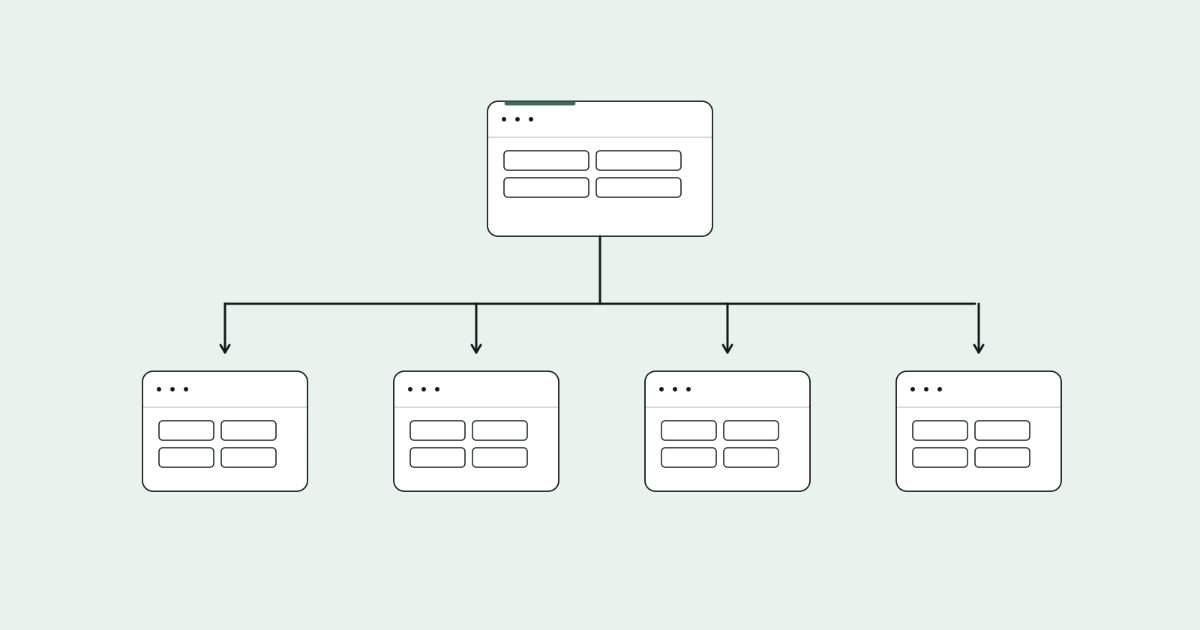
Long-tail keywords for category pages are specific product searches, such as "waterproof dog beds for large dogs", that describe exactly what a shopper wants to buy. The best ones deserve their own focused collection page. The rest belong in your existing category copy, filters and FAQs.
Get this right and your store ranks for hundreds of searches your bigger competitors ignore.
I'll show you where I find these keywords, how I decide which ones earn their own page, and how to handle filter pages without flooding Google with thin duplicates.
You'll also get a worked example, a decision table and copy you can adapt for your own collections.
Key takeaways
- Long-tail means low search volume, not a long phrase. For stores, it usually means a product type plus an attribute.
- Transactional long-tail searches usually want a range of products, which makes category pages their natural home.
- A long-tail term earns its own page only when it has distinct results, enough products and steady demand.
- Don't let every filter combination get indexed. Pick the combinations people search for and make them proper pages.
- Track impressions and queries per collection in Search Console to see which pages are pulling their weight.
What long-tail means for a category page
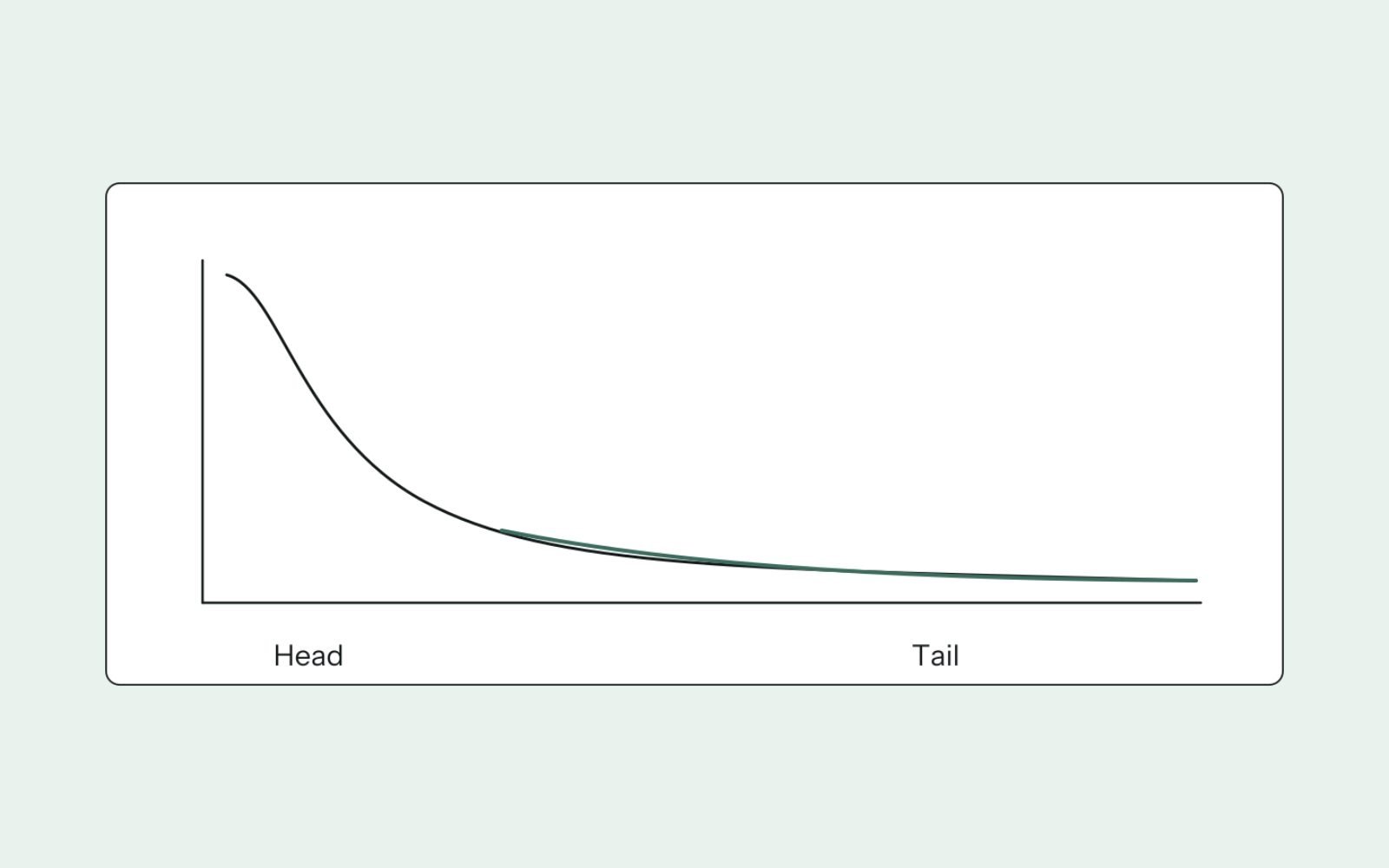
"Long-tail" describes how much a keyword is searched, not how many words it has. Ahrefs defines long-tail keywords as searches with low monthly volume, and warns against defining them by word count. In its US database, almost 93% of keywords get fewer than 10 searches a month.
For an online store, most long-tail searches follow the same pattern: a product type plus one or more modifiers. They're often the easiest wins for a store without much authority, the same low-competition searches I recommend when finding keywords for a new site.
| Modifier | Example search | Usually maps to |
|---|---|---|
| Material or ingredient | linen bedding, grass-fed beef mince | Collection or filter |
| Size or capacity | large dog beds, 2 person tents | Collection or filter |
| Use or occasion | hiking boots for wide feet, gym bag for work | Collection |
| Audience | kids headphones, desk chairs for short people | Collection |
| Feature | waterproof dog beds, quiet blenders | Collection or filter |
| Price or value | cheap standing desks, bulk beef boxes | Collection, if the range genuinely fits |
| Location or delivery | meat delivery sydney, same day flowers melbourne | Collection or location page |
| Brand plus type | weber charcoal bbqs | Brand collection |
Why category pages are the right home
Someone searching "waterproof dog beds" usually wants to compare a few options, not read an essay or land on one product. A category page gives them exactly that: a filtered range, prices and quick ways to narrow down.
The results page usually confirms it. Search most product-type long-tail keywords and you'll see category pages from other stores, marketplace listings and shopping results. If you see guides instead, the keyword has informational intent and belongs on a blog post. I explain how to tell the difference in reading search intent from the results.
Category pages also have structural advantages. They sit high in your site's navigation, they collect internal links from menus and product pages, and they refresh naturally as you add stock.
Where to find long-tail category keywords
I use five sources, roughly in this order of value.
1. Keyword tools, seeded with category names
Put each category name into Ahrefs Keywords Explorer and open Matching terms, or use Semrush's Keyword Magic Tool. Filter for keywords containing the category's core noun, then scan for modifiers from the table above.
To focus on buyers, add "buy", "online", "for sale" or "australia" as include terms. Then remove the include filter and look again, because many buyer searches use no modifier at all.
2. Search Console queries for your collections
If your store has some traffic, this is the best source, because it shows searches Google already associates with your pages. Open Performance, then Search results, add a page filter for your collection URL, and open the Queries tab.
On Shopify, collection URLs contain "/collections/", so a page filter for that string shows every collection at once. Look for specific queries getting impressions at positions 10 to 40. Those are long-tail terms Google is testing you for.
3. Your own site search
If your platform records on-site searches, export them. Customers type exactly what they want, in their own words, and patterns that repeat often reveal a missing collection.
4. Google's own suggestions
Type your category name and watch autocomplete. Check "Related searches" at the bottom of the results and the filter chips Google shows above shopping results. These reflect real demand, even when tools report no volume.
5. Competitor category structures
Look at how bigger competitors split their range. In Ahrefs Site Explorer, open Top pages for a competitor and filter URLs by their collection path. Collections that earn them traffic, and that you have the stock for, go on your shortlist.
Decide: own page, filter or on-page mention

Not every long-tail keyword needs its own page. Too many thin collections are as harmful as too few. I put each candidate through four questions.
| Question | If yes | If no |
|---|---|---|
| Do the results differ from the parent category's results? | It's a distinct search. Keep going | Cover it on the parent category page |
| Do you stock enough matching products to give shoppers a real choice? | Keep going | Mention it on the parent page, or wait until the range grows |
| Is the range stable, not a one-off batch? | Keep going | Use a filter, not an indexable page |
| Is there evidence of demand (volume, impressions, site search)? | Build a dedicated collection | Leave it as a filter |
I don't set a fixed minimum product count, because it depends on the category. A collection of four premium barbecues can be genuinely useful; four near-identical phone cases probably isn't. Ask whether a shopper landing on the page would feel they had a real choice.
The first question is the important one, and it's the same overlap test I use for clustering keywords by shared results. If "large dog beds" shows mostly the same pages as "dog beds", Google sees them as one search, and one page should serve both. For a fast first pass over a long list, group the candidates with the free clustering tool before you check the results.
Faceted navigation: which filter pages to index
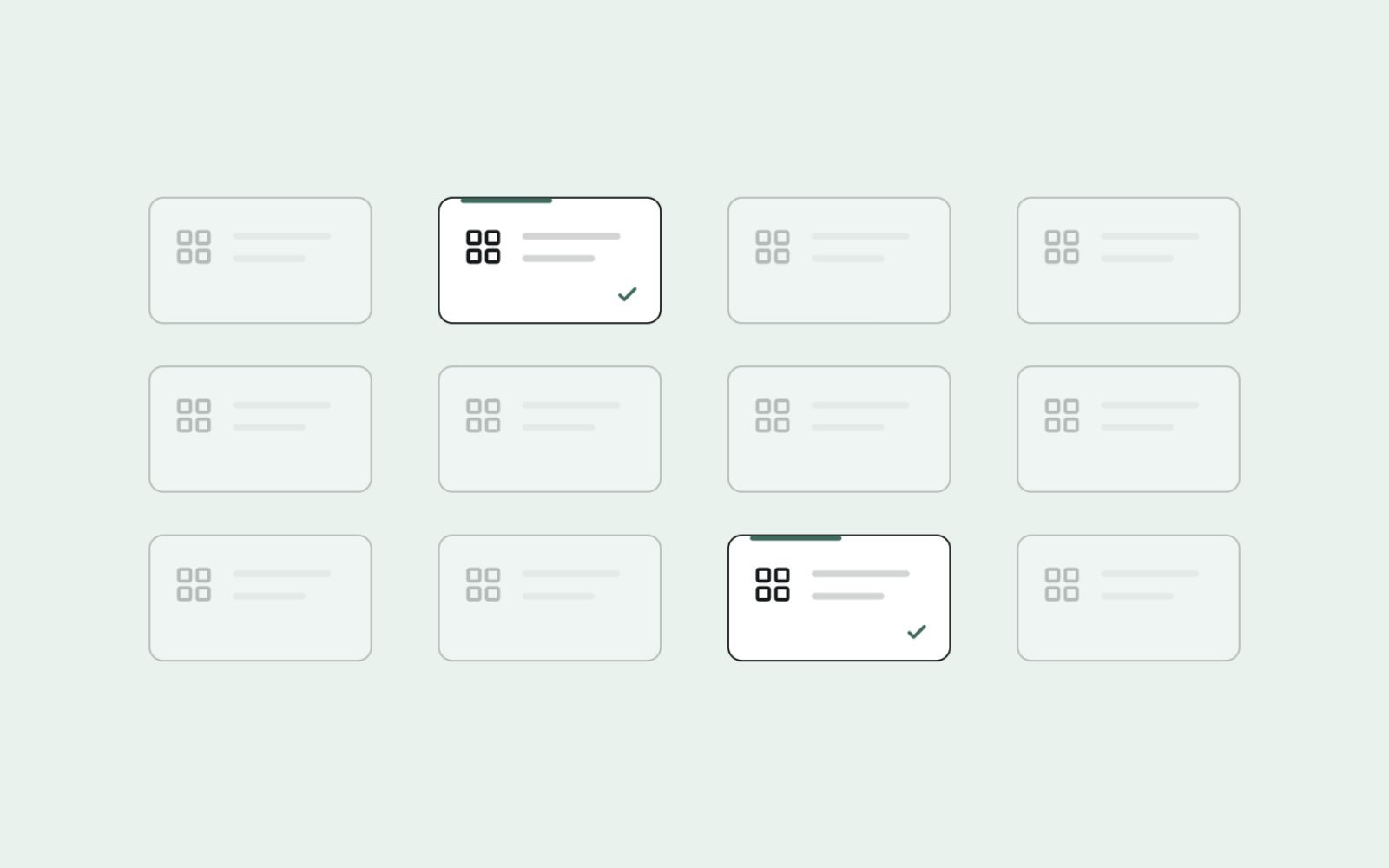
Filters are great for shoppers and risky for SEO. Every combination of colour, size, brand and price can create a new URL, and most of those URLs have no search demand.
Google's documentation on managing crawling of faceted navigation URLs warns that filter URLs can cause overcrawling and slow the discovery of new pages. Its main recommendations:
- If you don't need filtered URLs in Search, block their parameters in robots.txt, or use URL fragments (#), which Google generally doesn't crawl or index.
- If you do need some filtered URLs indexed, use the standard "&" separator, keep the filter order consistent and return a 404 for combinations with no results.
My approach on most stores is simple. The filter combinations people actually search for become proper collection pages, with their own title, intro copy and clean URL. The rest stay as filters for shoppers and stay out of the index.
The same thinking applies to collections that run empty. On Cost Cut Meats, I redirected 9 empty collections with 301s to the closest live page, rather than leaving shoppers and Google on pages with nothing to buy.
Where to place long-tail terms on the page
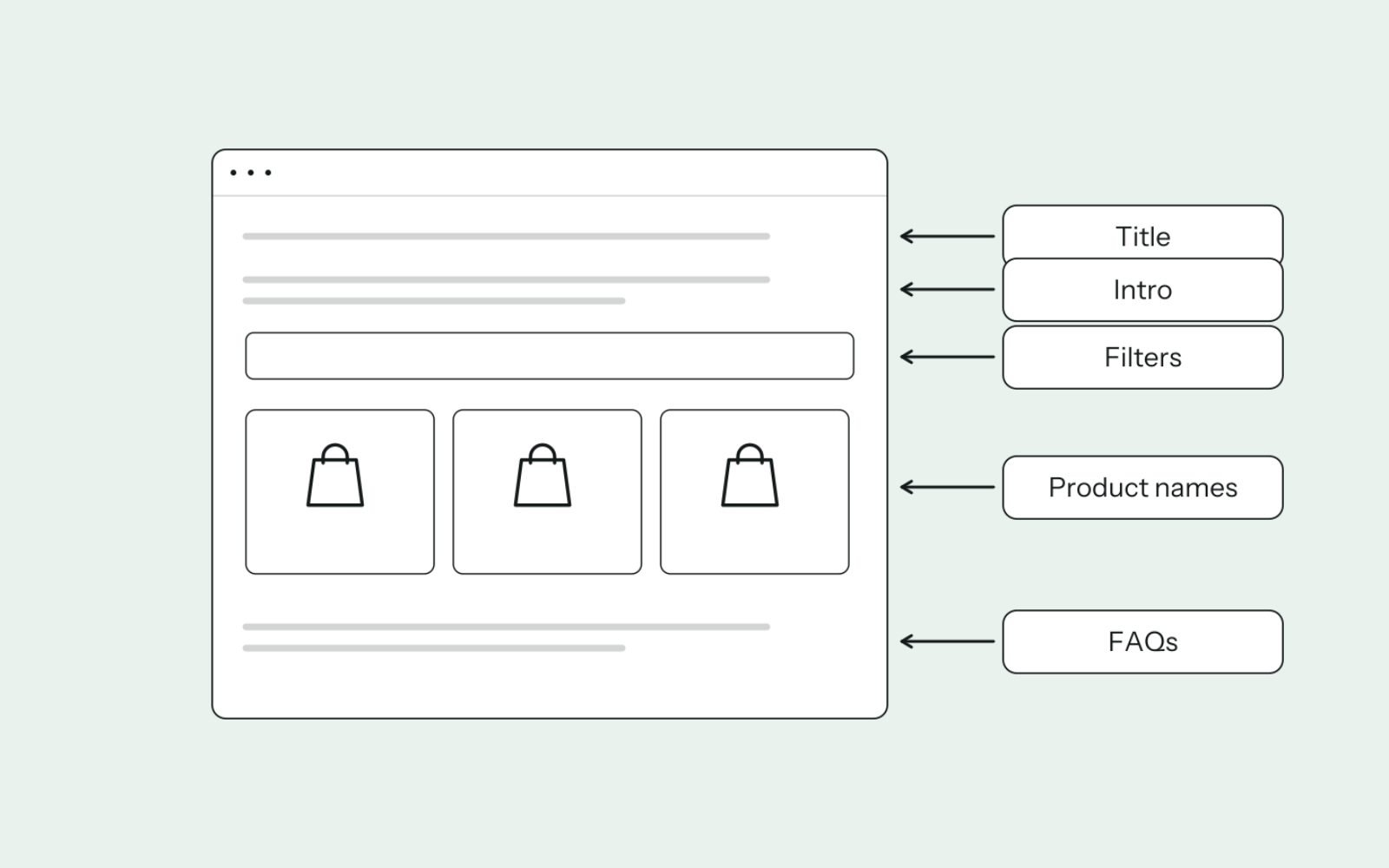
For a dedicated long-tail collection, the long-tail keyword is the primary keyword. For a broader category, the long-tail variations support it. Here's where each kind of term goes:
- Title tag and H1: the collection's primary keyword, written the way people search it.
- Intro copy: two to four sentences above the products that confirm what's in the range and who it suits.
- Subcategory links: on a parent category, link to each long-tail collection using its keyword as the anchor.
- Filter labels: use the words shoppers use. "Waterproof", not "Hydro-resist series".
- Product titles: include the attribute where it's true, so the products themselves reinforce the collection.
- FAQs and buying notes below the products: a natural place for question-style long-tail terms.
On Shopify, you edit the title and description that appear in search results under Products, then Collections, then the Search engine listing section of each collection. Check the lengths with the free meta description checker before you save.
Before and after
Here's a collection rewrite for a pet store:
BEFORE
Title tag: Beds | Pet Store
H1: Beds
Intro: (none)

AFTER
Title tag: Waterproof Dog Beds for Large Dogs | Pet Store
H1: Waterproof Dog Beds for Large Dogs
Intro: Waterproof dog beds with removable, wipe-clean covers, sized
for large and giant breeds. Ideal for older dogs, muddy walks and
outdoor kennels. Every bed here fits dogs over 30 kg.
The "after" version tells a shopper and Google exactly what the page offers in its first lines. Writing the rest of the collection copy is a topic of its own, covered in writing collection page content.
Worked example: from one head term to a collection plan
Say a pet store has one "Dog beds" category and wants to expand. After research, the shortlist and decisions look like this:
| Keyword | Results check | Products in range | Decision |
|---|---|---|---|
| dog beds | Category pages | All beds | Parent category |
| large dog beds | Mostly different from "dog beds" | Plenty | Own collection |
| orthopedic dog beds | Distinct, category pages | Plenty | Own collection |
| waterproof dog beds | Distinct, category pages | Several | Own collection |
| dog beds for crates | Distinct, mix of products and categories | A few | Own collection once the range grows; filter for now |
| grey dog beds | Same pages as "dog beds" | Several | Colour filter, not indexed |
| how to wash a dog bed | Guides | Not applicable | Blog post linking to the waterproof collection |
One word on spelling: some shoppers type "orthopedic" and others "orthopaedic". Check which form gets more searches in your market, use it in the title, and mention the other naturally in the copy.
These results are illustrative. Your market may group differently, which is why the results check comes before the decision.
Link long-tail collections so Google finds them
A collection nobody links to is hard for Google to find and easy for it to ignore. Google's ecommerce guidance recommends linking from menus to category pages and from categories to sub-categories, using normal HTML links.
For long-tail collections, I add links from four places:
- The parent category, as subcategory links or chips above the products.
- The main navigation or a mega menu, for the most important collections.
- Related blog posts, using the collection's keyword as the anchor.
- Product pages, through "shop more like this" links to the relevant collection.
Use each anchor phrase for one destination only. If "large dog beds" links to the large beds collection in one place and the parent category in another, you're sending mixed signals.
How to measure whether it's working
Give a new collection time to be crawled and tested, then check these in Search Console's Performance report, filtered to the collection URL:
- Impressions: rising impressions mean Google is testing the page for relevant searches.
- Number of queries: a healthy long-tail collection usually ranks for many variations, not just one keyword.
- Average position for the primary keyword: track whether it moves towards the top 10.
- Revenue: in GA4 or your store's analytics, compare organic sessions and sales landing on the collection.
If a collection has had no meaningful impressions for several months, ask why. It may be a duplicate of its parent, lack enough products, or simply have no demand. Merging it back and redirecting is often the right call.
Common mistakes with long-tail category pages
- Creating a collection for every keyword. Dozens of thin, overlapping collections compete with each other and dilute your range.
- Indexing every filter. Colour and size combinations with no search demand waste crawling and create near-duplicates.
- Stuffing keywords into the intro. Google lists keyword stuffing in its spam policies, and shoppers skip copy that reads like a list.
- Writing a blog post for a product search. If the results are all categories, a guide won't rank there.
- Leaving empty collections live. Redirect or remove collections that have run out of products for good.
- Forgetting internal links. A long-tail collection only reachable through a filter rarely ranks.
The bottom line
Match specific searches to specific collections, and only when the results, the range and the demand justify a page.
Keep everything else as filters and supporting copy, link your collections properly and track each one in Search Console.
If you'd like your categories planned around how your customers really search, see how I approach eCommerce SEO strategy.
FAQs
1. What are long-tail keywords in eCommerce?
They're specific, lower-volume product searches, usually a product type plus a modifier such as size, material, use or audience. "Large waterproof dog beds" is a long-tail version of "dog beds".
2. Should every filter combination be indexed?
No. Index only the combinations people actually search for, ideally as proper collection pages with their own copy. Keep the rest out of the index to avoid thin, duplicate pages.
3. How many long-tail collections should a store create?
As many as pass the checks: distinct results, enough products and real demand. For most stores that means a handful per main category, not dozens.
4. How long should category page copy be?
Long enough to help someone choose. A short intro above the products, plus buying notes or FAQs below them, usually works better than a long block of text.
5. Can a category page rank for long-tail keywords without its own page?
Yes, if the long-tail search shows the same results as the main category. Cover the variation in the intro, filters or FAQs, and the parent page can rank for both.
6. Are long-tail keywords easier to rank for?
Usually, because fewer strong sites target them. They're not automatically easy, though, so check the difficulty score and the live results before you commit.