Structured data won't get you into AI answers on its own: Google says it isn't required for AI Overviews or AI Mode, and there's no special schema to add for them. It's still worth doing well, because it describes your business, products and content in an unambiguous format, keeps you eligible for rich results, and forces your facts to be consistent.
That distinction matters, because a lot of advice online sells schema as a shortcut to AI citations. It isn't one.
Below, I set out what Google actually documents, which schema types I add first and why, and copyable JSON-LD for Organization, LocalBusiness, Product, Article and FAQPage.
I also cover how I test markup, the mistakes I find most often in audits, and how to judge whether it's doing anything.
Key takeaways
- Google documents that structured data isn't required for its generative AI features and that no special markup exists for them.
- Schema still earns its place: rich results, clear entity details such as your logo and contact information, and consistent product data.
- Start with Organization (or LocalBusiness), then Product on eCommerce sites, then Article and BreadcrumbList.
- FAQ rich results stopped appearing in Google Search on 7 May 2026. FAQPage markup is still valid vocabulary, but it no longer changes how your listing looks.
- Only mark up what's visible and true, then test with the Rich Results Test and the Schema Markup Validator.
What Google says about structured data and AI search
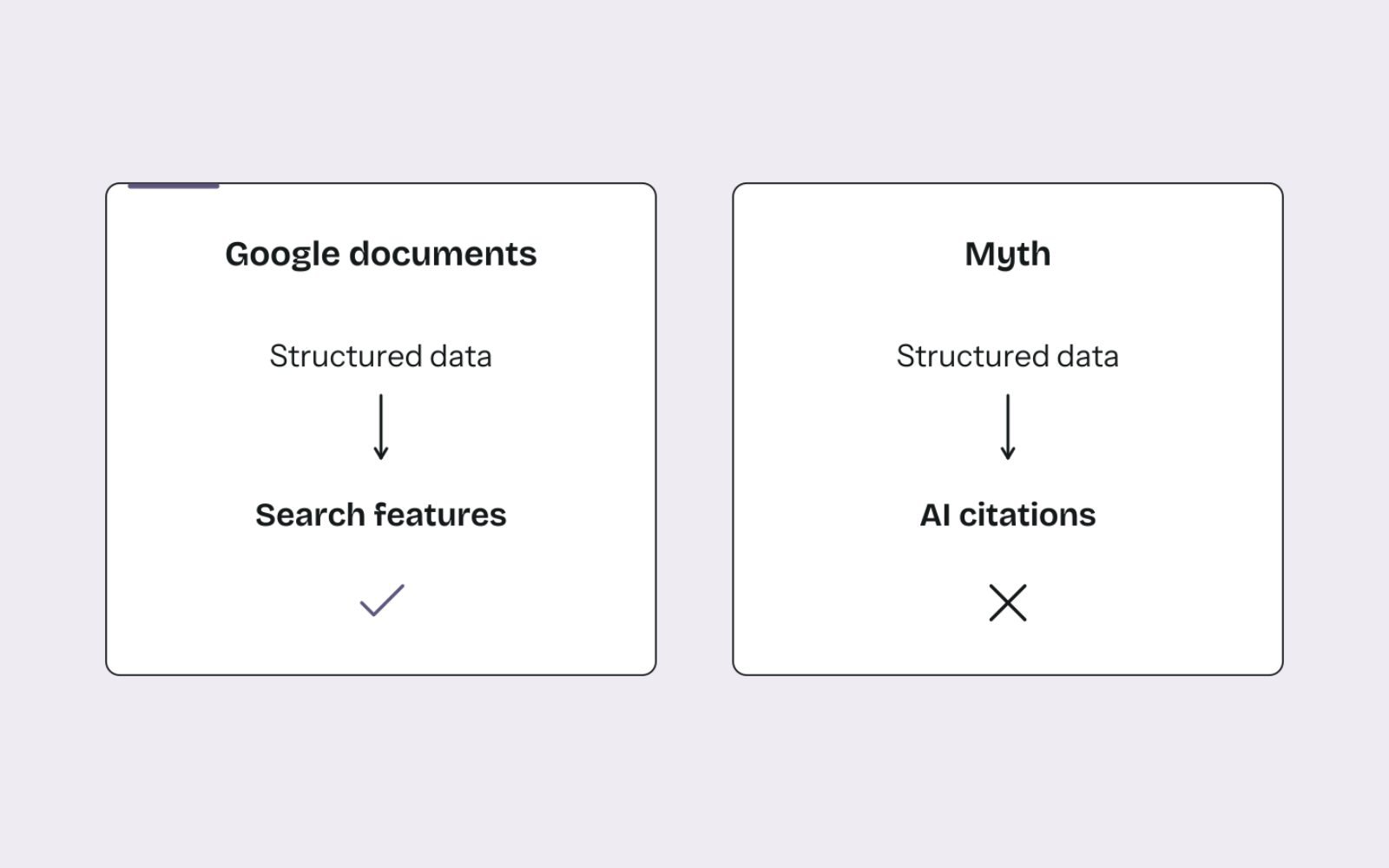
Google's position is clear. Its guidance on optimising for generative AI features states that structured data isn't required for generative AI search and that there's no special schema.org markup to add. In the same breath, it recommends continuing to use structured data as part of normal SEO, because it supports rich result eligibility.
Google's structured data guidelines add two rules that matter here. Markup must be a true representation of the page and must not describe content readers can't see. And Google doesn't guarantee that markup will produce any search feature, even when it's valid.
What isn't documented matters just as much. Google doesn't say schema increases your chance of being cited in AI Overviews. I also haven't found documentation from the major AI assistants explaining how, or whether, they use schema markup when choosing sources. So anyone promising citations from schema is guessing.
That's why structured data is one part of my AI SEO and GEO service, not the headline. For the bigger picture of what changes with AI search, see my breakdown of how GEO differs from SEO.
Why I still add it
Everything in this section is practitioner reasoning, not a Google promise. I add structured data for four reasons.
- Rich results still exist. Merchant listings, product snippets, review snippets, breadcrumbs, video and recipe features all depend on markup. Google notes that breadcrumbs now show only in desktop results.
- It removes ambiguity about who you are. Google's Organization documentation says properties like logo help it understand which logo to show, and identifiers help it tell your organisation apart from others with similar names.
- It enforces consistency. When I generate Product markup from the same data that feeds Merchant Center, prices and availability can't drift apart without someone noticing.
- It's a shared vocabulary. Schema.org is backed by the major search engines, so well-formed markup is readable beyond Google.
None of these depend on AI. That's the point: if schema were dropped from AI systems tomorrow, the work would still pay for itself.
The schema types to add first
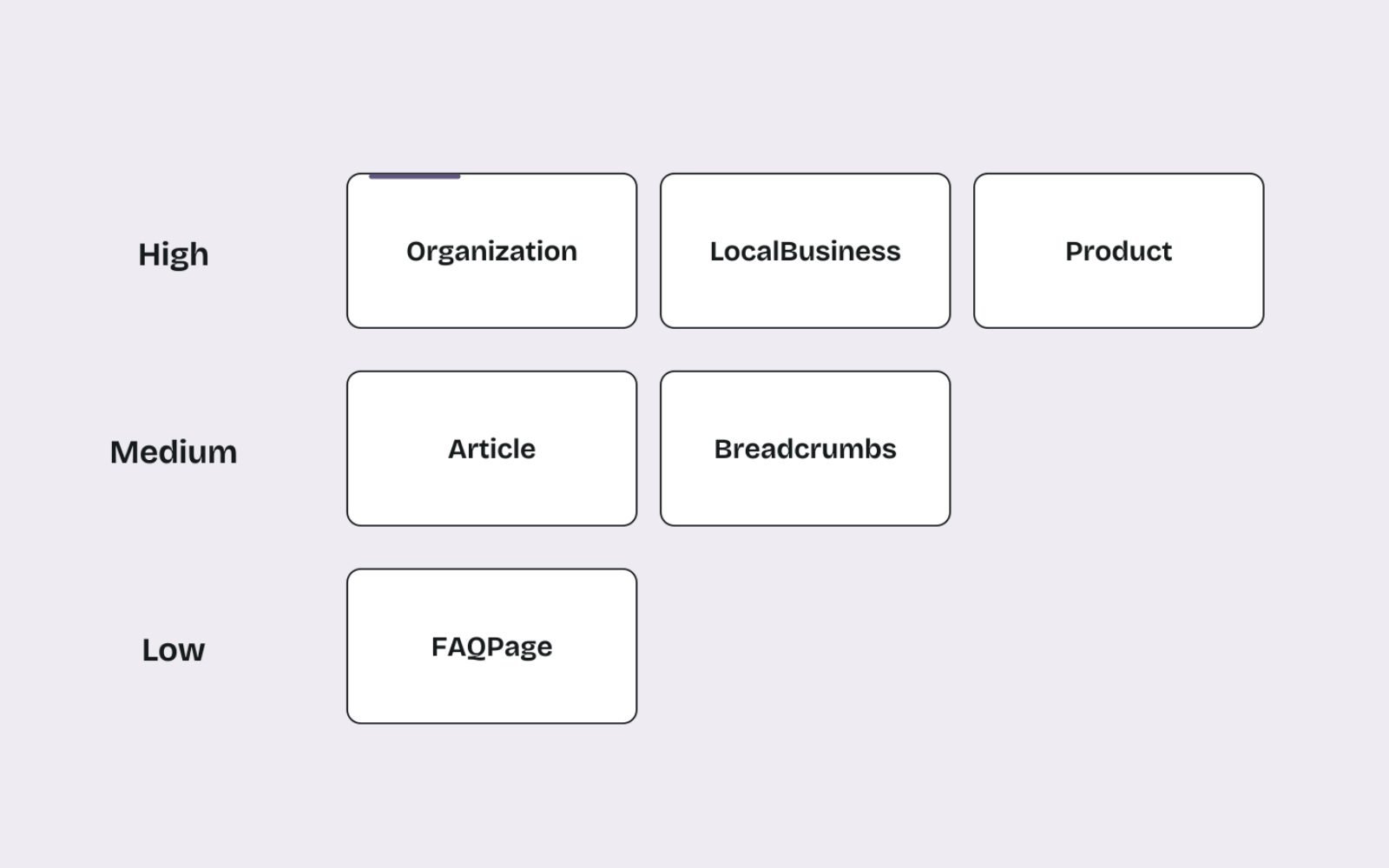
Every site has its own challenges, so the right mix depends on what you sell and how people find you. This is the priority order I usually start from.
| Type | Where it goes | Google feature it supports | My priority |
|---|---|---|---|
| Organization (or OnlineStore) | Home page or about page, once | Logo and organisation details in results and knowledge panels | High for every site |
| LocalBusiness (specific subtype) | Home or location page | Business details such as address, hours and phone | High for shops, clinics and service-area businesses |
| Product with Offer | Every product page | Merchant listings and product snippets | High for eCommerce |
| Article or BlogPosting | Blog posts and guides | Clearer title, image, date and author information | Medium |
| BreadcrumbList | Every page below the home page | Breadcrumb trail in desktop results | Medium |
| Review and AggregateRating | Products with genuine on-site reviews | Review snippets | Medium, genuine reviews only |
| Recipe or VideoObject | Recipe and video pages | Recipe and video features | High where the content exists |
| FAQPage | Pages with visible FAQs | None since 7 May 2026 | Low: keep if present, don't add for display |
How I turn that into decisions:
- If you sell online, get Product markup right on every product template before anything else, then Organization. Product data is where errors cost you merchant listings.
- If you're a local or service business, start with Organization or LocalBusiness on the home page, matching your Google Business Profile word for word, then BreadcrumbList.
- If you mainly publish content, focus on Article markup with real author pages, plus Organization as the publisher.
- If you have recipes or videos, mark them up. Both still have dedicated rich result features in Google Search.
- If your developer time is limited, skip FAQPage and niche types entirely and fix errors in the types you already have.
Organization: who you are

Organization markup describes your business once, clearly. Google's Organization structured data documentation has no required properties, recommends the most specific subtype (such as OnlineStore for eCommerce), and suggests placing it on your home page or a single page that describes the organisation.
Here's an example for a fictional online butcher. Swap in your own details and only include what's true and visible somewhere on your site.
<script type="application/ld+json">
{
  "@context": "https://schema.org",
  "@type": "OnlineStore",
  "@id": "https://www.example.com.au/#organization",
  "name": "Example Meats",
  "url": "https://www.example.com.au/",
  "logo": "https://www.example.com.au/images/logo.png",
  "description": "Online butcher selling bulk beef, lamb and pork boxes across Queensland.",
  "email": "hello@example.com.au",
  "telephone": "+61-7-5550-0100",
  "address": {
    "@type": "PostalAddress",
    "streetAddress": "1 Example Street",
    "addressLocality": "Brisbane",
    "addressRegion": "QLD",
    "postalCode": "4000",
    "addressCountry": "AU"
  },
  "sameAs": [
    "https://www.facebook.com/examplemeats",
    "https://www.instagram.com/examplemeats"
  ]
}
</script>
The @id gives the organisation a stable identifier, so Product and Article markup elsewhere can point back to it. The sameAs list connects your official profiles. Only list profiles you control and keep active.
LocalBusiness: where and when you trade
If customers visit you, or you visit them, LocalBusiness markup describes the location. Google's LocalBusiness documentation requires only name and address, recommends properties such as geo, openingHoursSpecification, telephone and url, and says to use the most specific subtype available.
<script type="application/ld+json">
{
  "@context": "https://schema.org",
  "@type": "Plumber",
  "@id": "https://www.exampleplumbing.com.au/#business",
  "name": "Example Plumbing",
  "url": "https://www.exampleplumbing.com.au/",
  "telephone": "+61-7-5550-0123",
  "priceRange": "$$",
  "address": {
    "@type": "PostalAddress",
    "streetAddress": "22 Sample Road",
    "addressLocality": "Toowoomba",
    "addressRegion": "QLD",
    "postalCode": "4350",
    "addressCountry": "AU"
  },
  "geo": {
    "@type": "GeoCoordinates",
    "latitude": -27.5606,
    "longitude": 151.9539
  },
  "openingHoursSpecification": [
    {
      "@type": "OpeningHoursSpecification",
      "dayOfWeek": ["Monday", "Tuesday", "Wednesday", "Thursday", "Friday"],
      "opens": "07:00",
      "closes": "17:00"
    },
    {
      "@type": "OpeningHoursSpecification",
      "dayOfWeek": "Saturday",
      "opens": "08:00",
      "closes": "12:00"
    }
  ]
}
</script>
In my experience, a local business's Google Business Profile does far more for Maps visibility than markup does. I treat LocalBusiness schema as the website's copy of the same facts, and it must match the profile exactly. My plan for the first 30 days of local SEO covers the profile side.
Product: what you sell
On eCommerce sites, Product markup is the highest-value type. Google's merchant listing documentation requires name, image and offers, with a price above zero and a priceCurrency. It recommends extras such as brand, gtin, availability, shippingDetails and hasMerchantReturnPolicy.
<script type="application/ld+json">
{
  "@context": "https://schema.org",
  "@type": "Product",
  "name": "Grass-fed beef brisket, whole (5 to 6 kg)",
  "image": [
    "https://www.example.com.au/images/brisket-1x1.jpg",
    "https://www.example.com.au/images/brisket-4x3.jpg",
    "https://www.example.com.au/images/brisket-16x9.jpg"
  ],
  "description": "Whole grass-fed beef brisket, vacuum sealed and delivered frozen.",
  "sku": "BRSK-WHL",
  "brand": { "@type": "Brand", "name": "Example Meats" },
  "offers": {
    "@type": "Offer",
    "url": "https://www.example.com.au/products/whole-brisket",
    "price": "119.00",
    "priceCurrency": "AUD",
    "availability": "https://schema.org/InStock",
    "itemCondition": "https://schema.org/NewCondition",
    "shippingDetails": {
      "@type": "OfferShippingDetails",
      "shippingRate": { "@type": "MonetaryAmount", "value": "15.00", "currency": "AUD" },
      "shippingDestination": { "@type": "DefinedRegion", "addressCountry": "AU", "addressRegion": "QLD" },
      "deliveryTime": {
        "@type": "ShippingDeliveryTime",
        "handlingTime": { "@type": "QuantitativeValue", "minValue": 0, "maxValue": 1, "unitCode": "DAY" },
        "transitTime": { "@type": "QuantitativeValue", "minValue": 1, "maxValue": 3, "unitCode": "DAY" }
      }
    },
    "hasMerchantReturnPolicy": {
      "@type": "MerchantReturnPolicy",
      "applicableCountry": "AU",
      "returnPolicyCategory": "https://schema.org/MerchantReturnNotPermitted"
    }
  }
}
</script>
The return policy here is illustrative for a perishable product. Mark up your real policy, and make sure the same terms appear on the page.
If you also run Merchant Center, know which source wins. Google gives product-level feeds in Merchant Center precedence over Merchant Center or Search Console settings, which in turn beat product-level markup, with organisation-level markup last. When the markup and feed disagree, I fix the source data rather than the markup. Most Merchant Center disapprovals I see start with exactly that kind of mismatch. Markup is also only one part of product page SEO, so fix titles, descriptions and images alongside it.
Article: who wrote it and when
Article or BlogPosting markup tells search engines the headline, images, dates and author. Google's Article documentation has no required properties, but recommends headline, image, datePublished and dateModified with time zones, and an author with a name and a URL that identifies them.
<script type="application/ld+json">
{
  "@context": "https://schema.org",
  "@type": "BlogPosting",
  "headline": "How to choose a bulk beef box for your freezer",
  "image": ["https://www.example.com.au/images/beef-box-16x9.jpg"],
  "datePublished": "2026-09-23T09:00:00+10:00",
  "dateModified": "2026-11-05T14:30:00+10:00",
  "author": {
    "@type": "Person",
    "name": "Jane Citizen",
    "url": "https://www.example.com.au/about/jane-citizen"
  },
  "publisher": { "@id": "https://www.example.com.au/#organization" }
}
</script>
Keep author.name to the person's name only, with no job title or business name. Mark up every author shown on the page as a separate entry. And only change dateModified when the content changes meaningfully.
BreadcrumbList: where the page sits
Breadcrumb markup describes the path from your home page to the current page. It's simple, it's usually generated by the theme, and it reinforces the same structure your internal links already show.
<script type="application/ld+json">
{
  "@context": "https://schema.org",
  "@type": "BreadcrumbList",
  "itemListElement": [
    { "@type": "ListItem", "position": 1, "name": "Beef", "item": "https://www.example.com.au/collections/beef" },
    { "@type": "ListItem", "position": 2, "name": "Brisket", "item": "https://www.example.com.au/collections/brisket" }
  ]
}
</script>
The breadcrumb names should match the visible breadcrumb trail and the collection names on the page. If your visible breadcrumbs say "Beef cuts" but the markup says "Beef", fix one so they agree.
FAQPage: what changed in 2026
FAQ rich results are gone. Google's Search Central changelog records that the feature stopped appearing in Google Search on 7 May 2026, and the FAQ documentation was removed in June 2026.
FAQPage is still valid schema.org vocabulary, and it still describes question-and-answer content accurately. My rule: if a page already has accurate FAQPage markup matching visible FAQs, I leave it. I don't add it to new pages expecting any change in how the listing looks.
<script type="application/ld+json">
{
  "@context": "https://schema.org",
  "@type": "FAQPage",
  "mainEntity": [
    {
      "@type": "Question",
      "name": "Do you deliver frozen orders to Toowoomba?",
      "acceptedAnswer": {
        "@type": "Answer",
        "text": "Yes. Frozen orders are delivered to Toowoomba every Wednesday in insulated boxes."
      }
    }
  ]
}
</script>
The visible FAQ answers matter more than the markup. Short, self-contained answers are easy for readers and AI systems to use, which is a big part of writing content AI can quote.
How I implement and test structured data

- Audit what's already there. Many Shopify themes and WordPress SEO plugins output some markup by default. Crawl the site or view the source before adding anything, so you don't create duplicate or conflicting Product entities.
- Pick one source of truth. Generate markup from the product database, CMS fields or theme template, not by hand on each page.
- Connect entities with @id. Point Product brand, Article publisher and LocalBusiness parent back to the single Organization.
- Test before you deploy. Run a sample of each template through the Rich Results Test to check eligibility for Google features. Then run the same URLs through the Schema Markup Validator, which checks general schema.org validity, including types Google doesn't use.
- Watch Search Console. After launch, check the enhancement reports, such as Merchant listings, Product snippets and Breadcrumbs, for errors and warnings. Use URL Inspection on a few live URLs.
- Recheck after changes. Theme updates, app installs and migrations are when markup quietly breaks.
Mistakes I find in audits
- Two Product blocks on one page with different prices, one from the theme and one from an app.
- Review stars marked up when no reviews are visible, or reviews copied from another site.
- Prices or stock status in markup that don't match the page or the Merchant Center feed.
- Organization markup repeated with different names and logos on every page.
- Hidden content marked up, such as FAQs that exist only in the code.
- Dates set to today on every page load, so
dateModifiedmeans nothing.
The review and hidden-content mistakes are the risky ones. Markup that misrepresents a page can lead to a manual action, which removes rich result eligibility.
How to tell whether it's helping
Measure structured data by what it's documented to do, not by AI citations. In Search Console, track valid items in each enhancement report and the clicks on pages showing rich results.
For AI visibility, watch the Generative AI performance report and a citation tool, but don't credit schema for changes there. On Carnivore Society's technical clean-up, Ahrefs Site Health went from 60 to 99 and AI tools cite the site about 1,400 times. Structured data was part of a wider body of work, so I can't isolate its share.
My monthly routine for checking AI mentions and citations keeps those numbers in context with Search Console and manual checks.
The bottom line
Structured data is a description, not a ranking trick. Describe every important page accurately, keep it consistent with your listings and feeds, and test it after every change.
Do that and you get the rich results it's built for, plus cleaner facts for every system reading your site. If you'd like your markup reviewed as part of a wider AI search readiness review, I'm happy to take a look.
FAQs
1. Does schema markup help you get cited in AI Overviews?
Google says structured data isn't required for its generative AI features and there's no special markup for them. Schema helps search engines understand your page and supports rich results, but nothing documents it as a route to AI citations.
2. Is FAQ schema still worth using?
Not for display. FAQ rich results stopped appearing in Google Search on 7 May 2026. Accurate FAQPage markup on visible FAQs does no harm, so I leave existing markup in place but don't add it to new pages for appearance.
3. Which schema type matters most for eCommerce?
Product with an Offer on every product page, followed by Organization (or OnlineStore). Include price, currency, availability, shipping and returns where they apply, and keep them identical to your Merchant Center feed.
4. Should I use JSON-LD or microdata?
Google supports both, but recommends the format that's easiest for you to implement and maintain, which in most cases is JSON-LD. It sits in one block, separate from your HTML, so it's easier to generate and test.
5. Can schema markup hurt my site?
Accurate markup won't. Markup that misrepresents the page, such as fake review stars or content readers can't see, can lead to a manual action that removes rich result eligibility. Only mark up what's visible and true.
6. Does ChatGPT use schema markup?
OpenAI hasn't published documentation saying how, or whether, ChatGPT uses schema markup when choosing sources. I treat clear on-page text as what matters most, with schema as a supporting description of the same facts.